
この記事では、6つの便利なCombine演算子について説明します。Xcode Playgroundでそれぞれを実験しながら、例を使用してこれを行います。
ソースコードは記事の最後にあります。
さて、それ以上の苦労なしに、始めましょう。
1.追加
このステートメントのグループにより、イベント、値、またはその他の発行元を元の発行元に追加(文字通り「追加」)することができます。
import Foundation
import Combine

var subscriptions = Set<AnyCancellable>()

func prependOutputExample() {
    let stringPublisher = ["World!"].publisher

    stringPublisher
        .prepend("Hello")
        .sink(receiveValue: { print($0) })
        .store(in: &subscriptions)
}
結果:
HelloおよびWorld!順番に出力され
ます:次に、同じタイプの別のパブリッシャーを追加しましょう:
func prependPublisherExample() {
    let subject = PassthroughSubject<String, Never>()
    let stringPublisher = ["Break things!"].publisher

    stringPublisher
        .prepend(subject)
        .sink(receiveValue: { print($0) })
        .store(in: &subscriptions)

    subject.send("Run code")
    subject.send(completion: .finished)
}
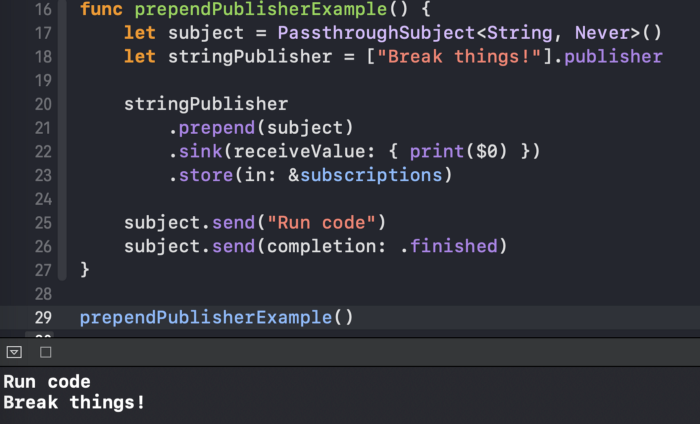
結果は前の結果と同様です(
.finishedオペレーターが.prepend機能するには、サブジェクトにイベントを送信する必要があることに注意してください)。
2.追加
演算子
.append(文字通り「最後に追加」)も同様.prependに機能しますが、この場合、元の発行元に値を追加します:
func appendOutputExample() {
    let stringPublisher = ["Hello"].publisher

    stringPublisher
        .append("World!")
        .sink(receiveValue: { print($0) })
        .store(in: &subscriptions)
}
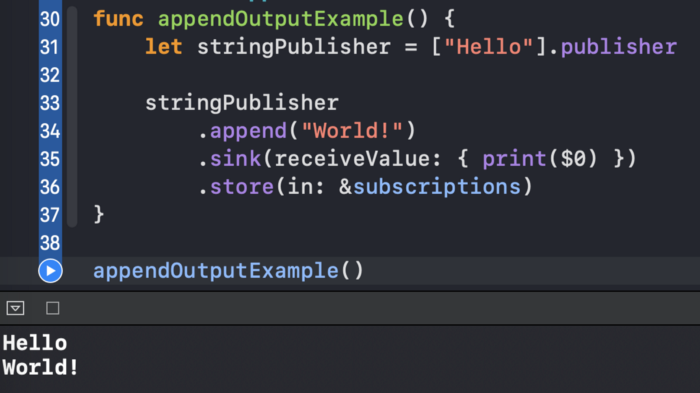
その結果、私たちは見
HelloてWorld!コンソールに出力:
以前
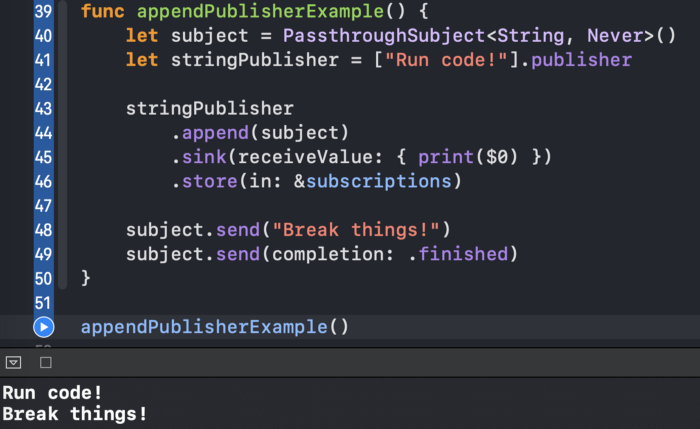
.prependに別のPublisheraを追加するために使用したものと同様に、オペレーター用にこのオプションもあります.append:
3.switchToLatest
より複雑な演算子を
.switchToLatest使用すると、一連のパブリッシャーを1つのイベントストリームに結合できます。
func switchToLatestExample() {
    let stringSubject1 = PassthroughSubject<String, Never>()
    let stringSubject2 = PassthroughSubject<String, Never>()
    let stringSubject3 = PassthroughSubject<String, Never>()

    let subjects = PassthroughSubject<PassthroughSubject<String, Never>, Never>()

    subjects
        .switchToLatest()
        .sink(receiveValue: { print($0) })
        .store(in: &subscriptions)

    subjects.send(stringSubject1)

    stringSubject1.send("A")

    subjects.send(stringSubject2)

    stringSubject1.send("B") //

    stringSubject2.send("C")
    stringSubject2.send("D")

    subjects.send(stringSubject3)

    stringSubject2.send("E") //
    stringSubject2.send("F") //

    stringSubject3.send("G")

    stringSubject3.send(completion: .finished)
}
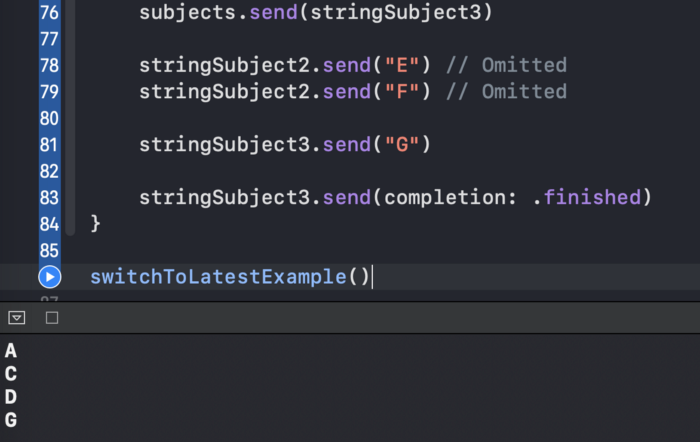
コードで行われていることは次のとおりです。
PassthroughSubject値を送信する3つのオブジェクトを作成します。PassthroughSubject他のオブジェクトをディスパッチするメインオブジェクトを作成しますPassthroughSubject。stringSubject1本題に発送いたします。stringSubject1値Aを取得します。- 私たちは、派遣
stringSubject2自動的stringSubject1イベントを破棄、主被写体に。 - 同様に、値をに送信し
stringSubject2、接続して、stringSubject3完了イベントをディスパッチします。
結果が出力され
A、C、DとG:
簡単にするために、関数は
isAvailableランダムな値を返すBoolいくつかの遅延後。
func switchToLatestExample2() {
    func isAvailable(query: String) -> Future<Bool, Never> {
        return Future { promise in
            DispatchQueue.main.asyncAfter(deadline: .now() + 2) {
                promise(.success(Bool.random()))
            }
        }
    }

    let searchSubject = PassthroughSubject<String, Never>()

    searchSubject
        .print("subject")
        .map { isAvailable(query: $0) }
        .print("search")
        .switchToLatest()
        .sink(receiveValue: { print($0) })
        .store(in: &subscriptions)

    searchSubject.send("Query 1")
    DispatchQueue.main.asyncAfter(deadline: .now() + 1) {
        searchSubject.send( "Query 2")
    }
}
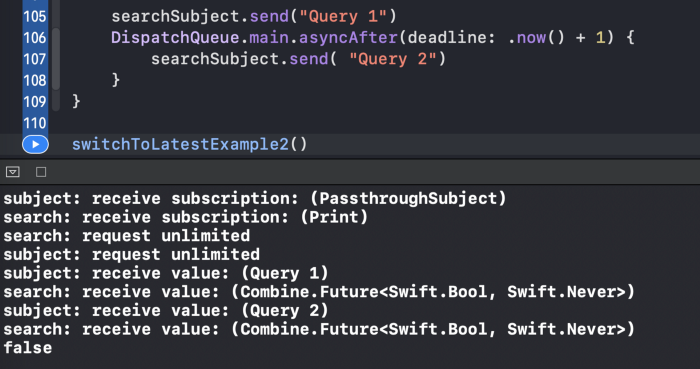
オペレーターのおかげで、
.switchToLatest私たちは私たちが望むことを達成します。1つのBool値のみが表示されます。
4.マージ(:)
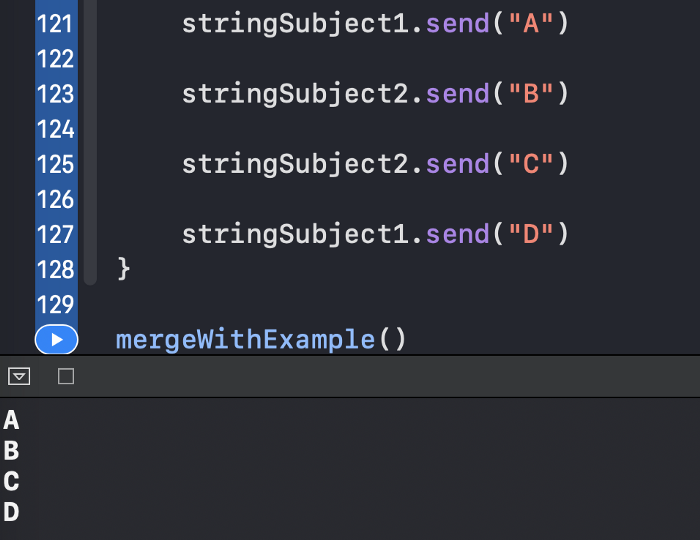
1つだけから値を取得しているかのように
.merge(with:)2つを組み合わせる
ために使用しPublishersます:
func mergeWithExample() {
    let stringSubject1 = PassthroughSubject<String, Never>()
    let stringSubject2 = PassthroughSubject<String, Never>()

    stringSubject1
        .merge(with: stringSubject2)
        .sink(receiveValue: { print($0) })
        .store(in: &subscriptions)

    stringSubject1.send("A")

    stringSubject2.send("B")

    stringSubject2.send("C")

    stringSubject1.send("D")
}
結果は、要素の交互のシーケンスです。
5.combineLatest
オペレーター
.combineLatestは、各パブリッシャーの最新の値を含むタプルを公開します。
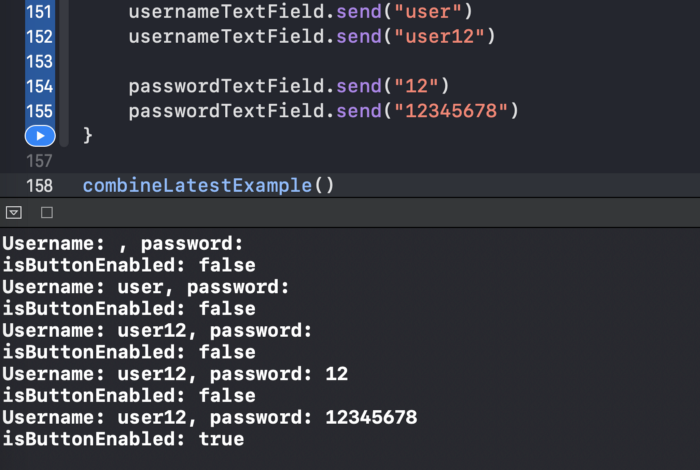
これを説明するために、次の実際の例を考えてみましょう。ユーザー名、パスワード、
UITextFieldsおよび続行ボタンがあります。ユーザー名が5文字以上、パスワードが8文字以上になるまで、ボタンを無効にしておく必要があります。これは、演算子を使用して簡単に実現できます.combineLatest。
func combineLatestExample() {
    let usernameTextField = CurrentValueSubject<String, Never>("")
    let passwordTextField = CurrentValueSubject<String, Never>("")

    let isButtonEnabled = CurrentValueSubject<Bool, Never>(false)

    usernameTextField
        .combineLatest(passwordTextField)
        .handleEvents(receiveOutput: { (username, password) in
            print("Username: \(username), password: \(password)")
            let isSatisfied = username.count >= 5 && password.count >= 8
            isButtonEnabled.send(isSatisfied)
        })
        .sink(receiveValue: { _ in })
        .store(in: &subscriptions)

    isButtonEnabled
        .sink { print("isButtonEnabled: \($0)") }
        .store(in: &subscriptions)

    usernameTextField.send("user")
    usernameTextField.send("user12")

    passwordTextField.send("12")
    passwordTextField.send("12345678")
}
一旦
usernameTextField 及びpasswordTextField受信user12、及び12345678従って、条件が満たされ、そしてボタンが活性化されます。
6.zip
オペレーター
.zipは、各パブリッシャーから一致する値のペアを提供します。両方の発行者が同じ値を発行したかどうかを判断したいとしますInt。
func zipExample() {
    let intSubject1 = PassthroughSubject<Int, Never>()
    let intSubject2 = PassthroughSubject<Int, Never>()

    let foundIdenticalPairSubject = PassthroughSubject<Bool, Never>()

    intSubject1
        .zip(intSubject2)
        .handleEvents(receiveOutput: { (value1, value2) in
            print("value1: \(value1), value2: \(value2)")
            let isIdentical = value1 == value2
            foundIdenticalPairSubject.send(isIdentical)
        })
        .sink(receiveValue: { _ in })
        .store(in: &subscriptions)

    foundIdenticalPairSubject
        .sink(receiveValue: { print("is identical: \($0)") })
        .store(in: &subscriptions)

    intSubject1.send(0)
    intSubject1.send(1)

    intSubject2.send(4)

    intSubject1.send(6)
    intSubject2.send(1)
    intSubject2.send(7)

    intSubject2.send(9) //  ,
}
from
intSubject1とから次の対応する値がありintSubject2ます:
- 0と4
- 1と1
- 6と7
対応する値がまだ公開されていない
9ため、
後者の値は表示されintSubject1ません。

リソース
ソースコードはGistで入手できます。
結論
他のタイプのCombine演算子に興味がありますか?私の他の記事を自由に訪問してください: