
私は常に低レベルのプログラミングに興味を持っていました-機器と直接通信し、レジスタを操作し、何が機能するかを詳細に理解します...残念ながら、最近のオペレーティングシステムはハードウェアをユーザーから可能な限り分離し、物理メモリやデバイスレジスタに何かを書き込むことは不可能です。もっと正確に言えば、そう思いましたが、実際、ほとんどすべてのハードウェアメーカーがこれを行っていることがわかりました。
キャプテン、ポイントは何ですか?
x86アーキテクチャには、「リング」の概念、つまりプロセッサモードがあります。現在のモードの数が少ないほど、実行可能なコードで利用できる可能性が高くなります。最も制限されている「リング」は「リング3」であり、最も特権のある「リング-2」(SMMモード)です。これまで、すべてのユーザープログラムはリング3モードで実行され、OSカーネルはリング0で実行されます。
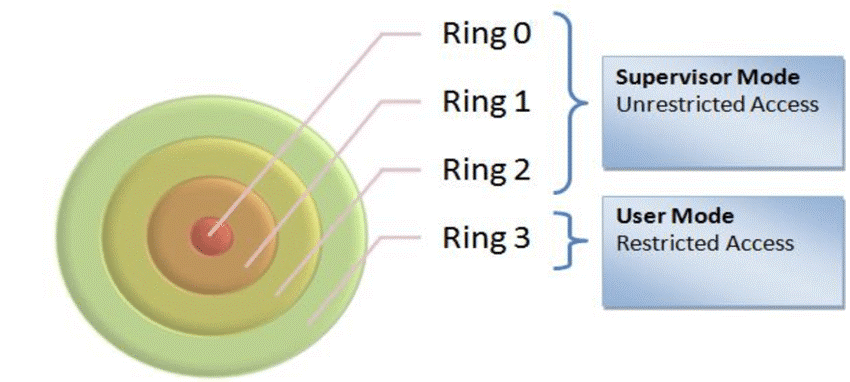
«Ring 3» , I/O . , . ( ). , RW Everything:
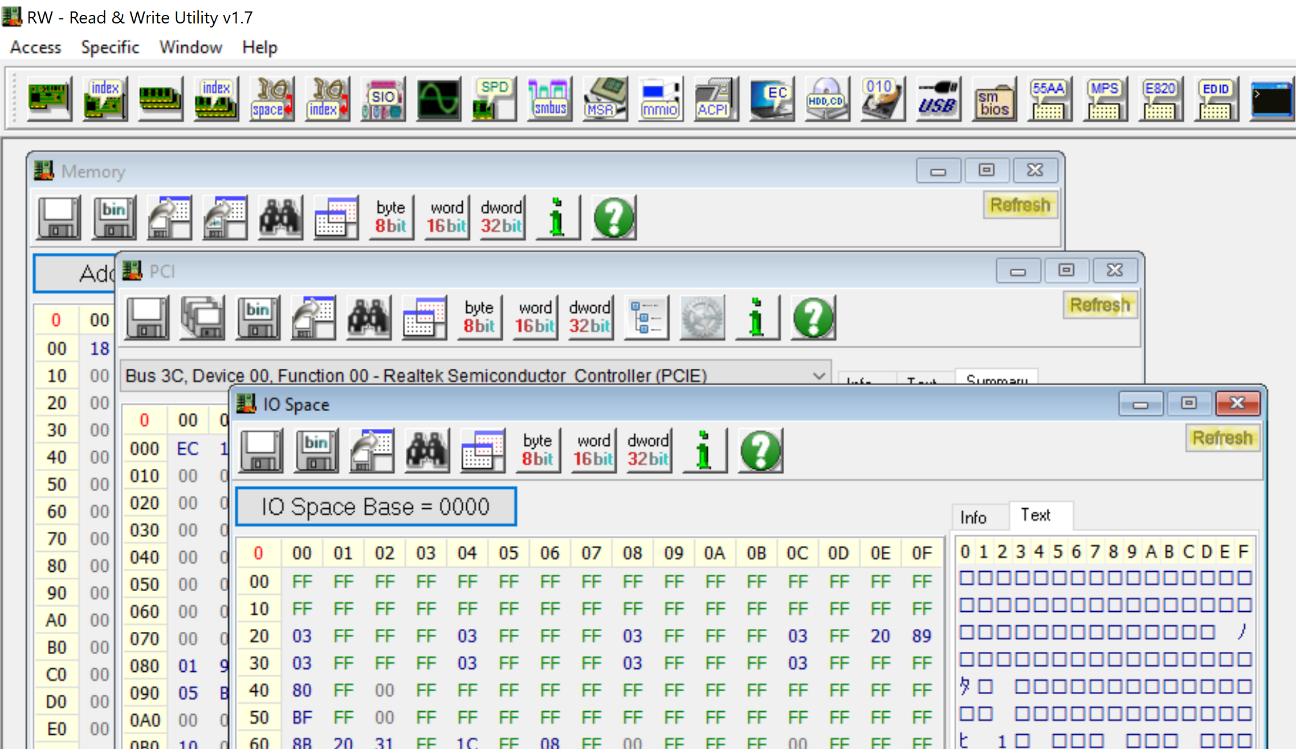
, «Ring 3» - , I/O , PCI ( ). , , . , RW Everything -:
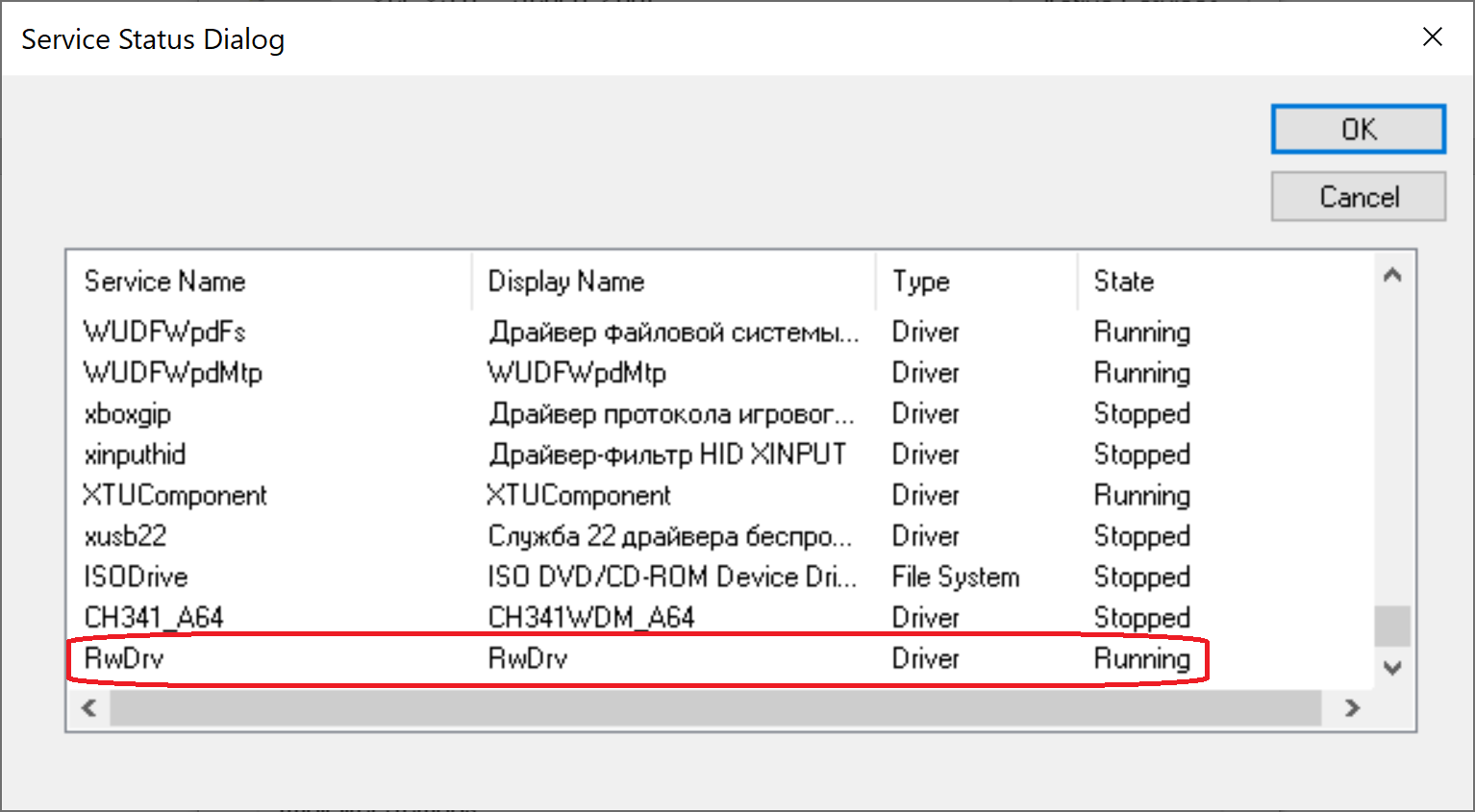
-
– , , , , ! – , RW Everything , . , . , :
BIOS (Asrock, Gigabyte, HP, Dell, AMI, Intel, Insyde…)
(AMD, Intel, ASUS, ASRock, Gigabyte)
(CPU-Z, GPU-Z, AIDA64)
PCI (Nvidia, Asmedia)
– «- », – . - :
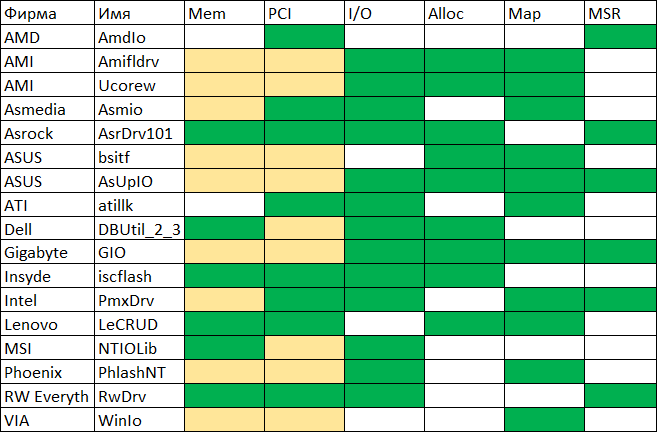
:
Mem – /
PCI – / PCI Configuration Space
I/O – / I/O
Alloc –
Map –
MSR – / x86 MSR (Model Specific Register)
, , ( ). – AsrDrv101 ASRock. , (!!)
AsrDrv101
/ RAM
/ IO
/ PCI Configuration Space
/ MSR (Model-Specific Register)
/ CR (Control Register)
TSC (Time Stamp Counter)
PMC (Performance Monitoring Counter)
CPUID
Alloc / Free
Python
"" . Python, , .
. " " ( !) System32:
#puts the driver into Windows/System32/drivers folder
def SaveDriverFile(self):
  winPath = os.environ['WINDIR']
  sys32Path = os.path.join(winPath, "System32")
  targetPath = os.path.join(sys32Path, "drivers\\" + self.name + ".sys")
  file_data = open(self.file_path, "rb").read()
  open(targetPath, "wb").write(file_data)
%WINDIR%\Sysnative, - , Python 32-. ( , 64- 32- System32 SysWOW64, System32, Sysnative).
:
#registers the driver for further startup
def RegisterDriver(self):
  serviceManager = win32service.OpenSCManager(None, None,
                                              win32service.SC_MANAGER_ALL_ACCESS)
  driverPath = os.path.join(os.environ['WINDIR'], 'system32\\drivers\\' +
                            self.name + '.sys')
  serviceHandle = win32service.CreateService(serviceManager,self.name,self.name,
                                             win32service.SERVICE_ALL_ACCESS,
                                             win32service.SERVICE_KERNEL_DRIVER,
                                             win32service.SERVICE_DEMAND_START,
                                             win32service.SERVICE_ERROR_NORMAL,
                                             driverPath, None,0,None,None,None)
  win32service.CloseServiceHandle(serviceManager)
  win32service.CloseServiceHandle(serviceHandle)

#starts the driver
def RunDriver(self):
  win32serviceutil.StartService(self.name)
(, "" ), :
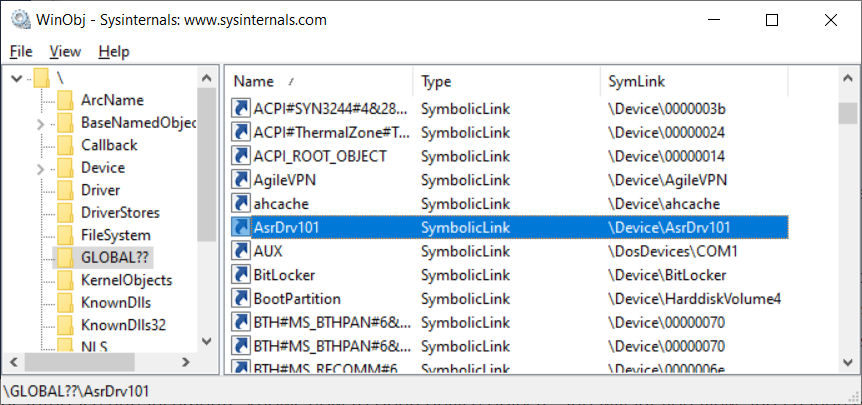
, IoCtl:
#tries to open the driver by name
def OpenDriver(self):
    handle = win32file.CreateFile("\\\\.\\" + self.name,
                                  win32file.FILE_SHARE_READ |
                                  win32file.FILE_SHARE_WRITE,
                                  0, None, win32file.OPEN_EXISTING,
                                  win32file.FILE_ATTRIBUTE_NORMAL |
                                  win32file.FILE_FLAG_OVERLAPPED,
                                  None)
    if handle == win32file.INVALID_HANDLE_VALUE:
          return None
    return handle

#performs IOCTL!
def IoCtl(self, ioctlCode, inData, outLen=0x1100):
    out_buf = win32file.DeviceIoControl(self.dh,ioctlCode,inData,outLen,None)
    return out_buf
. , , "" . , , - "". ( ). - , "Pending Stop". - .
"", . , , . , . , , ! , - :
#perform IOCTL!
def IoCtl(self, ioctlCode, inData, outLen=0x1100):
  #open driver file link
  driverHandle = self.OpenDriver()
  if driverHandle is None:
    self.ReinstallDriver()
    driverHandle = self.OpenDriver()
    #second try
    if driverHandle is None:
      return None
  #perform IOCTL
  out_buf = win32file.DeviceIoControl(driverHandle,ioctlCode,inData,outLen,None)
  #close driver file link
  win32file.CloseHandle(driverHandle)
  return out_buf
:
class PmxInterface:
  def __init__(self):
    self.d = PmxDriver("AsrDrv101")

    def MemRead(self, address, size, access=U8):
      buf = ctypes.c_buffer(size)
      request = struct.pack("<QIIQ", address, size, access,
                            ctypes.addressof(buf))
      if self.d.IoCtl(0x222808, request, len(request)):
        return bytearray(buf)
      else:
        return None

      def MemWrite(self, address, data, access=U8):
        buf = ctypes.c_buffer(data, len(data))
        request = struct.pack("<QIIQ", address, len(data), access,
                              ctypes.addressof(buf))
        return self.d.IoCtl(0x22280C, request, len(request)) is not None
      # (   )
:
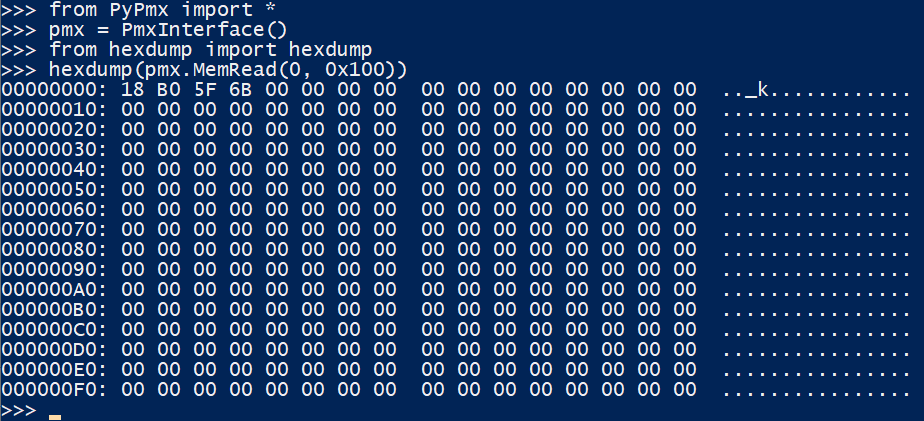
PCI Express Config Space
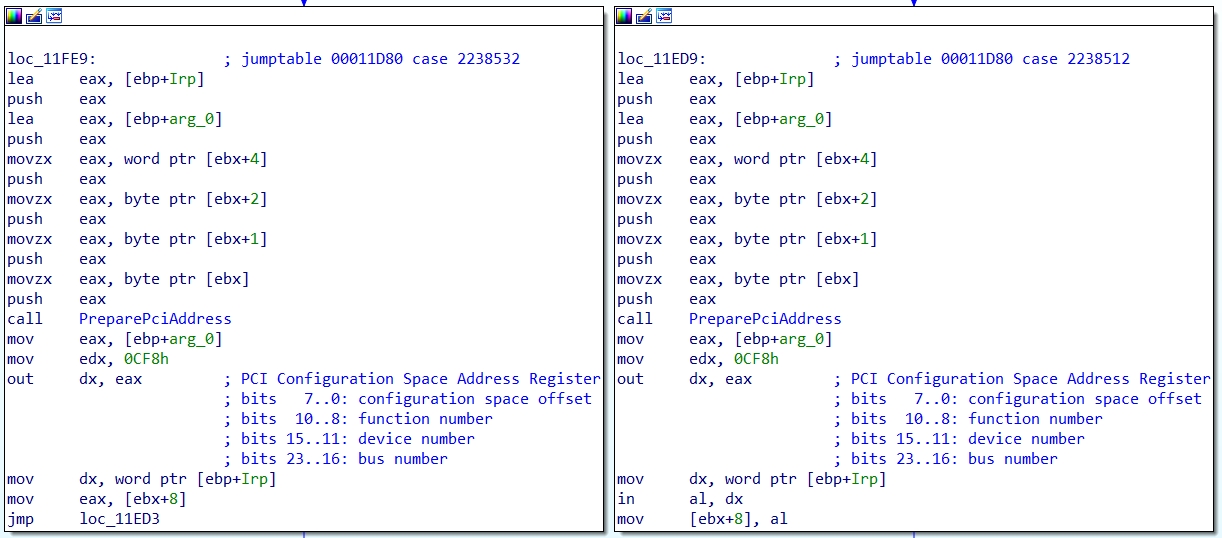
PCIE Config Space. - PCI I/O 0xCF8 / 0xCFC. AsrDrv101:
0x100 , PCI Express Config Space 0x1000 ! PCI Extended Config Space, - , BIOS:
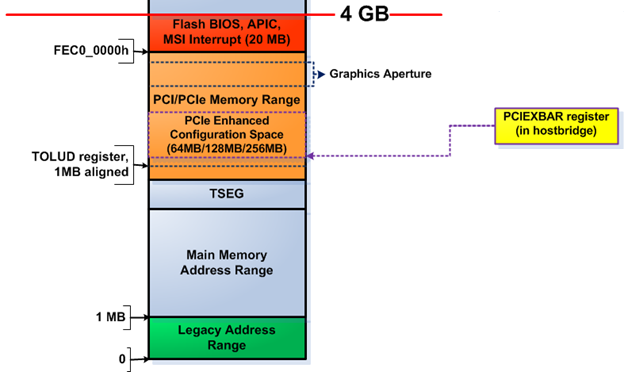
Intel (, ) PCI 0:0:0 0x60, :

AMD ( , ), . , , ACPI MCFG
ACPI RSDP, 0xE0000-0xFFFFF, RSDT. , . :
rsdp = self.PhysSearch(0xE0000, 0x20000, b"RSD PTR ", step=0x10)
#use rsdt only for simplicity
rsdt = self.MemRead32(rsdp + 0x10)
(rsdtSign, rsdtLen) = struct.unpack("<II", self.MemRead(rsdt, 8, U32))
if rsdtSign == 0x54445352: #RSDT
  headerSize = 0x24
  rsdtData = self.MemRead(rsdt + headerSize, rsdtLen - headerSize, U32)
  #iterate through all ACPI tables
  for i in range(len(rsdtData) // 4):
    pa = struct.unpack("<I", rsdtData[i*4:(i+1)*4])[0]
    table = self.MemRead(pa, 0x40, U32)
    if table[0:4] == b"MCFG":
      #we have found the right table, parse it
      (self.pciMmAddress, pciSeg, botBus, self.pciMmTopBus) =
      	struct.unpack("<QHBB", table[0x2C:0x38])
Intel
if self.PciRead16(PciAddress(0,0,0,0)) == 0x8086:
  #try intel way
  pciexbar = self.PciRead64(PciAddress(0,0,0,0x60))
  if pciexbar & 1:
    self.pciMmTopBus = (1 << (8 - ((pciexbar >> 1) & 3))) - 1
    self.pciMmAddress = pciexbar & 0xFFFF0000
, PCI Express Config Space . - !
BIOS
"", BIOS. "" - 32- , 0xFFFFFFF0. - 4-16 , "" 0xFF000000, - , , BIOS:
from PyPmx import PmxInterface
pmx = PmxInterface()

for i in range(0xFF000000, 0x100000000, 0x10000):
  data = pmx.MemRead(i, 0x20)
  if data != b"\xFF"*0x20 and data != b"\x00"*0x20:
    biosLen = 0x100000000-i
    print("BIOS Found at 0x%x" % i)
    f = open("dump.bin", "wb")
    for j in range(0, biosLen, 0x1000):
      data = pmx.MemRead(i + j, 0x1000)
      f.write(data)
      break
:

-, 6 , 4 8 - . , Intel BIOS, . , SPI .
, , , SPI PCI Express:
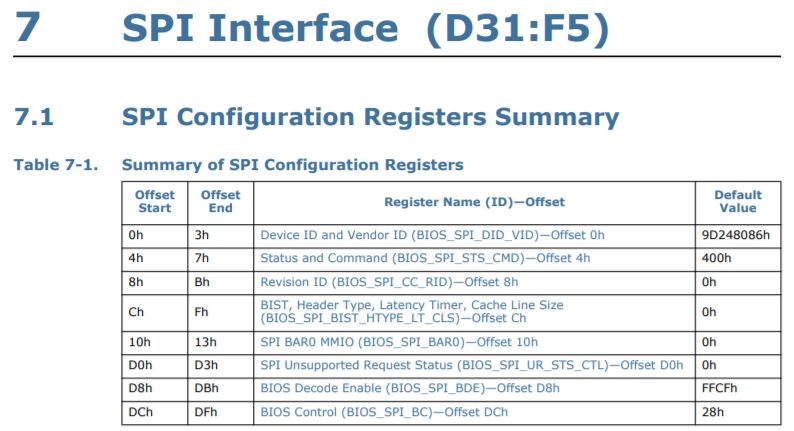
, BAR0 MMIO :
BIOS_FADDR
BIOS_HSFTS_CTL
BIOS_FDATA
:
from PyPmx import PmxInterface, PciAddress, U32

spi = PciAddress(0, 31, 5)
pmx = PmxInterface()
spiMmio = pmx.PciRead32(spi + 0x10) & 0xFFFFF000
f = open("dump.bin", "wb")

for i in range(0, 0x800000, 0x40):
  # write BIOS_FADDR
  pmx.MemWrite32(spiMmio + 0x08, i)
  # write BIOS_HSFTS_CTL
  #        read      0x40 bytes      start     clear fcerr & fgo
  cmd = (0 << 17) | (0x3F << 24) | (1 << 16) |         3
  pmx.MemWrite32(spiMmio + 0x04, cmd)
  # wait for read or error
  curCmd = pmx.MemRead32(spiMmio + 0x04)
  while curCmd & 3 == 0:
    curCmd = pmx.MemRead32(spiMmio + 0x04)
  # read BIOS_FDATA
  data = pmx.MemRead(spiMmio + 0x10, 0x40, U32)
  f.write(data)
- 20 8 BIOS! ( - , ME ).
, - USB , ATA , . - :
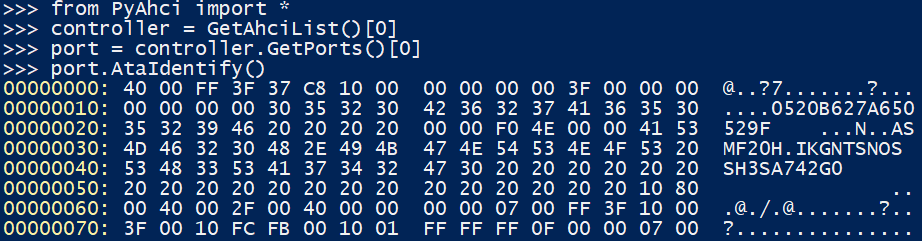
?
- , , ? . , Open-Source chipsec, .
, :
WARNING
!!!!!!!!!!!!!!!!!!!!!!!!!!!!!!!!!!!!!!!!!!!!!!!!!!!!!!!!!!!!!!!!!!!!!!!!
!!
!! Chipsec should only be run on test systems!
!! It should not be installed/deployed on end-user systems!
!!
!! There are multiple reasons for that:
!!
!! 1. Chipsec kernel drivers provide raw access to HW resources to
!! user-mode applications (like access to physical memory). This would
!! allow malware to compromise the OS kernel.
!! 2. The driver is distributed as a source code. In order to load it
!! on OS which requires signed drivers (e.g. x64 Microsoft Windows 7
!! and higher), you'll need to enable TestSigning mode and self-sign
!! the driver binary. Enabling TestSigning (or equivalent) mode also
!! turns off important protection of OS kernel.
!!
!! 3. Due to the nature of access to HW resources, if any chipsec module
!! issues incorrect access to these HW resources, OS can crash/hang.
!!
!! If, for any reason, you want to production sign chipsec driver and
!! deploy chipsec on end-user systems,
!! DON'T!
!!
!!!!!!!!!!!!!!!!!!!!!!!!!!!!!!!!!!!!!!!!!!!!!!!!!!!!!!!!!!!!!!!!!!!!!!!!
, - , Windows Test Mode, . , . ASRock.
- Microsoft. , .
Windows DDK, 64-
vfd.sys, critical0, dartraiden «- ». ,vfdwin
, :
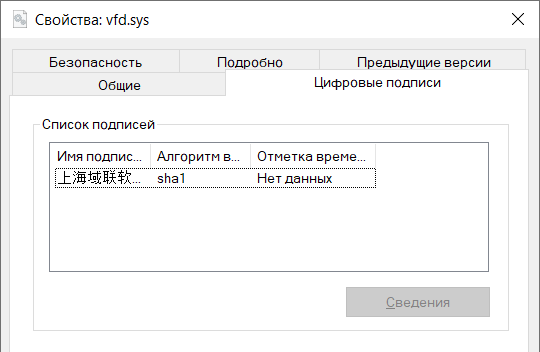
-
- SignTool , GitHub. , GitHub TrustAsia, .
- , ( ):
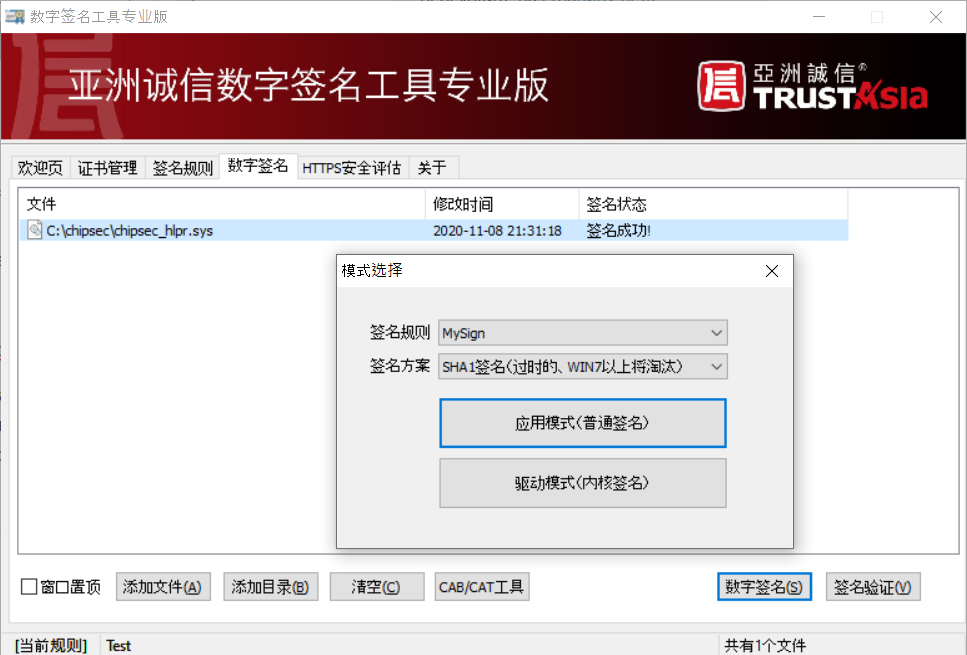
, AsrDrv101, !
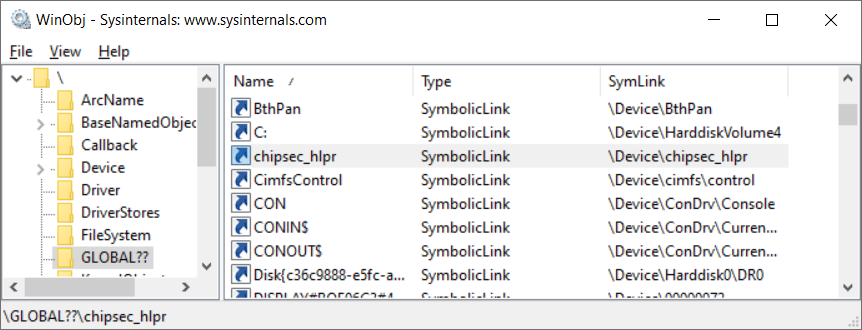
, . . , TODO.
?
ご覧のとおり、管理者権限があれば、コンピュータでほとんど何でもできます。注意してください-ハードウェアメーカーのユーティリティをインストールすると、システムに穴が開く可能性があります。さて、自分のPCで実験したい人は、低レベルへようこそ!作品をGitHubに投稿しました。BSODには、軽率な使用が伴うことに注意してください。