私の名前はKsyushaLugovayaです。SberCorusでは、Korus-UIReactコンポーネントライブラリを管理しています。
ほとんどすべての開発者は遅かれ早かれライブラリを選択する問題に直面し、時には解決策が簡単ではない場合があります。疑問が生じます:ライブラリを選択するときに何をガイドするか、市場が提供する人気のあるソリューションは何か、それらの長所と短所は何ですか?レビューや証言は、必ずしも解決策を見つけるのに役立つとは限りません。
開発の世界では、すべての状況に完全に適合するわけではありません。したがって、この記事では、この問題をどのように解決するかを説明し、いくつかの一般的なソリューションを分析する例を使用して、プロジェクトのReactコンポーネントのライブラリを選択する方法を分析します。
ライブラリを選択するための主な基準
ライブラリの使用シナリオ。これは明白に聞こえますが、タスクを明確に理解することが主要な選択基準です。
アプリケーションコンポーネントタイプ。アプリケーションのタイプによって、必要なコンポーネントが決まります。多くの場合、ボタン/チェックボックス、基本的な入力フィールド、既製のスタイルのリスト/メニューのセットで十分です。これは、最小限の設定と既製のスタイルでシンプルなコンポーネントを使用できることを意味します。
デザインのカスタマイズ、フォーマット、インタラクティブ性。コンポーネントを大幅にフォーマットおよびスタイル設定する必要がある場合は、事前に決定することも重要です。
要件が明確に示されている場合は、次の質問に答えてください。
プロジェクトのドキュメントはよく書かれていますか、インタラクティブな例はありますか?
プロジェクトはどの程度積極的にサポートされていますか?
プロジェクトにはいくつの問題があり、どれくらい迅速に解決されますか?
プロジェクトは無料ですか、それとも商用ライセンスですか?
コンポーネントのカスタマイズはどのくらい簡単ですか?
ライブラリコードはテストの対象ですか?
ライブラリはどのブラウザとプラットフォームをサポートしていますか?
これらは、ライブラリを選択するのに役立つ普遍的な質問です。機能的なソリューションがプロジェクトのニーズに理想的である場合でも、サポートの欠如または未解決のバグが多数あることは、別のライブラリを選択する十分な理由です。
, :
Material-UI,
Semantic-UI-React,
yandex-ui,
arui-feather,
Korus-UI.
, – Material-UI Semantic-UI-React, .
– , (, ) , opensource .
.
— , .
.
Layout-
, , , . :
;
props.children;
;
: h1, section, div, span, Icon, Avatar.
- , . , Material-UI Semantic-UI . - .
- (controls)
, , , , — , «» .
:
;
props;
UI (disabled, required, isLoading).
, .
:
;
layout- (, , );
.
|
|
Layout |
Controls |
Modules |
|
Material-UI |
App Bar, Avatars, Badges, Bottom Navigation, Divider, Grid List, Lists, Paper, Progress, Snackbar, Tables, |
Button, Chip, Selection Controls, Text Fields, Pickers* |
Dialog, Cards, Drawers, ExpansionPanel, Menu, Stepper, Tabs, Tooltip |
26** |
Semantic-UI-React |
Container, Divider, Flag, Header, Icon, Image, Label, List, Loader, Placeholder, Rail, Reveal, Segment, Step, Breadcrumb, Form, Grid, Menu, Message, Table, Advertisement, Card, Comment, Feed, Item, Statistic |
Button, Input, Checkbox, Radio, Select, Text Area |
Accordion, Dimmer, Dropdown, Embed, Modal, Popup, Progress, Rating, Search, Sidebar, Sticky, Tab, Transition, Visibility, Confirm, Pagination, Portal, Ref, Transitionable Portal |
52 |
yandex-ui |
Badge, Divider, Icon, Image, Text, UserPic, ListTile, Spacer, Link, Spin |
Attach, Button, Checkbox, Menu, Radiobox, RadioButton, Select, Slider, Textarea, Textinput, Tumbler |
TabsMenu, Drawer, Dropdown, Messagebox, Modal, Popup, TabsPanes, Tooltip, Progress |
30 |
arui-feather |
Amount, CardImage, FlagIcon, Form, GridRow, GridCol, Heading, Icon, InputGroup, Label, Link, List, Paragraph, Spin |
Attach, Button, CardInput, CheckBoxGroup, CheckBox, FormField, IconButton, Input, RadioGroup, Radio, Select, TagButton, Textarea, Toggle |
CalendatInput, Calendar, Collapse, EmailInput, InputAutocomplete, IntlPhoneInput, Menu, MoneyInput, Notification, PhoneInput, Plate, Popup, ProgressBar, Sidebar, SlideDown, Tabs |
44 |
Korus-UI |
HTML tags factory***, Currency, Tags |
Button, Checkbox, Input, Radio, Rating, Slider, Switcher, Textarea |
Autocomplete, ButtonGroup, Collapse, Collapsible, DatePicker, DateRange, DateTimePicker, DateTimeRange, Dropdown, DropdownLink, DropdownSelect, Dropzone, FileDrop, FileUpload, Loader, MaskedInput, Modal, MultiSelect, Notifications, NumericRange, NumericTextBox, Pagination, Password, ProgressBar, StatusBar, StickyPanel, Tabs, TimePicker, TimeRange, Tooltip, Tour, Validation, VStepper, Wizard, form |
45 + - HTML- |
*Material-UI
** ,
***Korus-UI HTML- c API
50% Material-UI Semantic-UI-React 30% yandex-ui arui-feather — layout-. Korus-UI 70% — .
. .
Material-UI
MuiThemeProvider. React .
. className.
classes.
CSS-in-Js, , CSS-. CSS-in-Js HOC withStyles() makeStyles() .
Semantic-UI-React
Semantic-UI-React , Semantic-UI.
, .
:
-
css- ;
-
-
yandex-ui
. .
:
-
() ;
- yaml json. (css, json, js, ios, android) .
arui-feather ( )
. className, .
Korus-UI ()
LedaProvider. React .
. API- (. theme). .
. , , ( Loader ).
.
Material-UI
, List <ul>
. React :
<List component="nav">
<ListItem button>
<ListItemText primary="Trash" />
</ListItem>
<ListItem button>
<ListItemText primary="Spam" />
</ListItem>
</List>
Semantic-UI
Semantic-UI-React as:
<Button as='a' />
React- . .
yandex-ui
:
import React from 'react'
import { useRenderOverride } from '@yandex/ui/lib/render-override'
const ElementOriginal = ({ children }) => <div>{children}</div>
const MyComponent = ({ renderElement }) => {
const Element = useRenderOverride(ElementOriginal, renderElement)
return (
<>
<Element />
</>
)
}
yandex-ui .
arui-feather ( )
.
Korus-UI
API. Render. , , .
:
labelRender={() => <MyCustomLabel />}
:
({ Element, elementProps, componentProps, componentState }) => React.Node
Element
-
elementProps
- props
componentState
,componentProps
- props state
, , :
<L.CheckBox
labelRender={({ elementProps }) => <MyCustomLabel {…elementProps} />}
>
Label
</L.CheckBox>
React- 2 :
Typescript
PropTypes
React Typescript. , . PropTypes — .
Typescript. Semantic-UI JS, Typescript Semantic-UI-React, React.
— . , . , . .
, — . .
( ) ( ).
.
|
|
|
|
% |
Material-UI |
Chai, Mocha, Sinon |
Unit |
95.28% Statements 87.22% Branches 97.51% Functions 95.26% Lines |
Semantic-UI |
Jasmine, Karma |
Unit |
|
Semantic-UI-React |
Chai, Enzyme |
Unit |
|
yandex-ui |
Jest, Enzyme |
Unit |
|
arui-feather |
Jest, Enzyme |
Unit |
88.1% Statements 73.84% Branches 66.61% Functions 87.19% Lines |
Korus-UI |
Cypress, Jest |
Unit, end-to-end |
69.28% Statements 56.14% Branches 66.29% Functions 71.78% Lines |
, . Storybook .
|
|
|
|
Storybook |
Material-UI |
https://material-ui.com/ru/ |
- |
- |
Semantic-UI-React |
https://react.semantic-ui.com/ |
+ |
- |
yandex-ui |
https://yastatic.net/s3/frontend/lego/storybook/index.html |
- |
+ |
arui-feather |
https://digital.alfabank.ru/ |
+ |
- |
Korus-UI |
https://opensource.esphere.ru/korus-ui/ |
+ |
+ |
, . , .
. , , , , . : , .
-. , . , , .
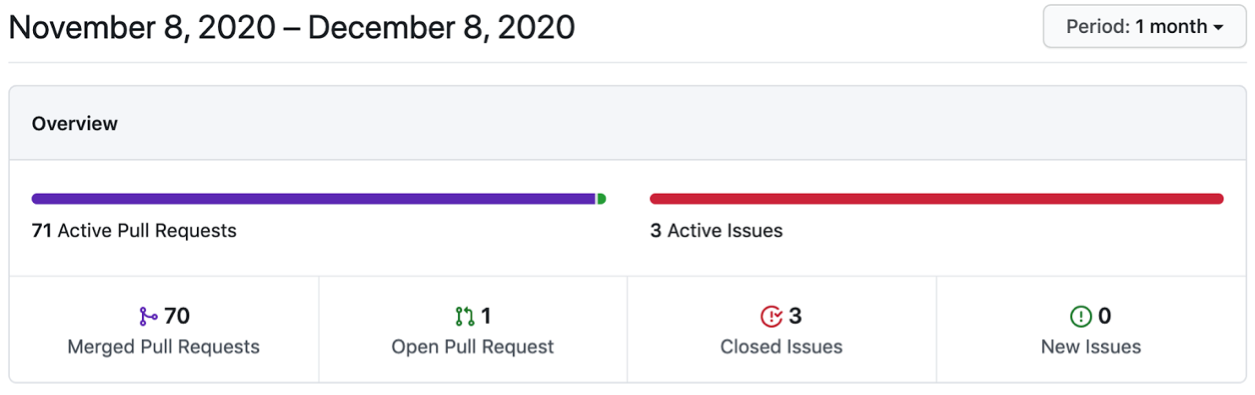
Pulse GitHub Pull Request . Insights . .
Material-UI

Semantic-UI
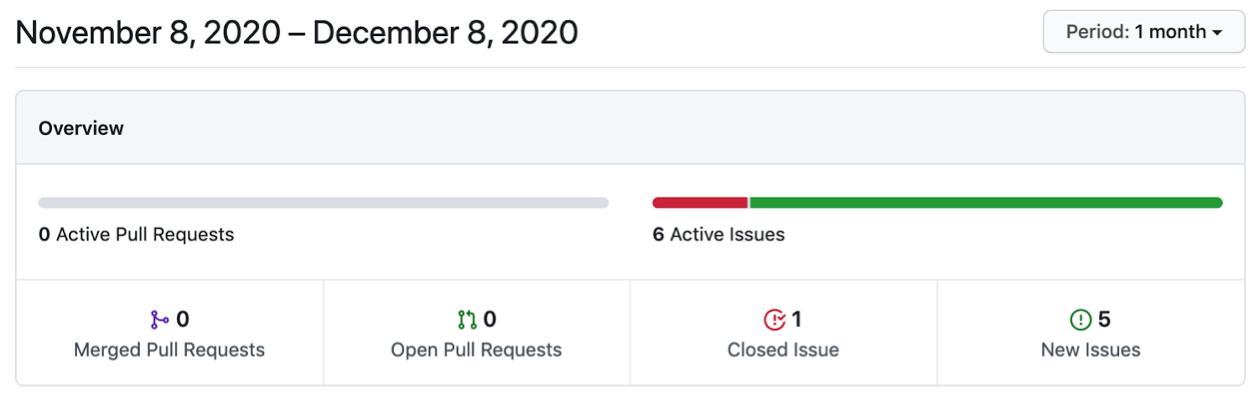
yandex-ui
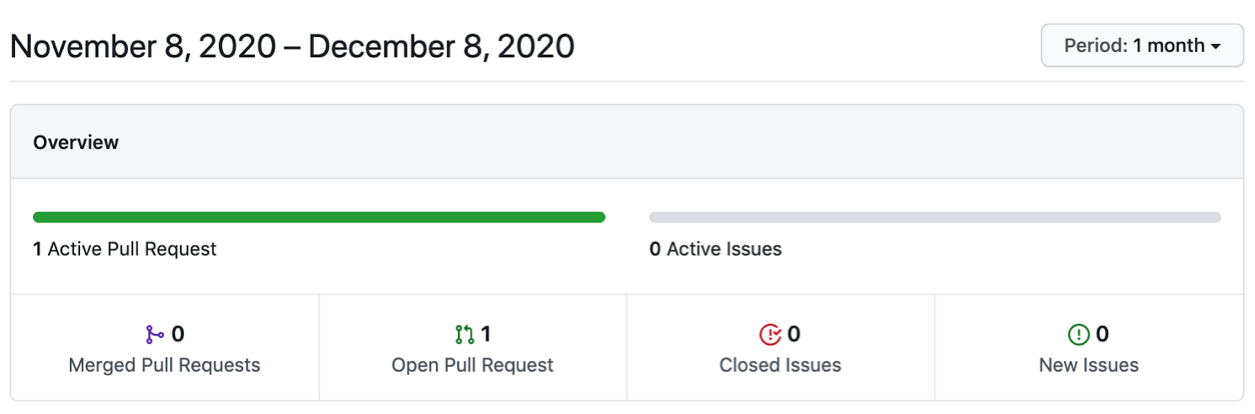
arui-feather ( )
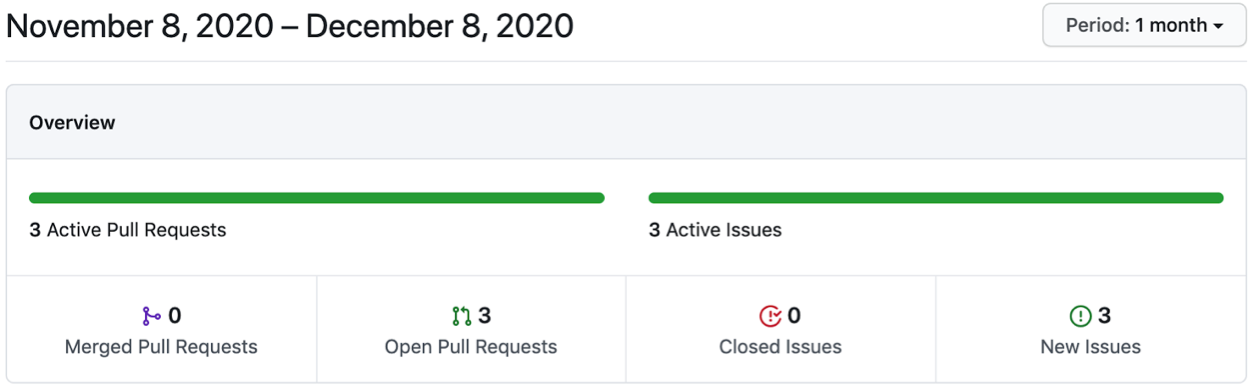
Korus-UI ()
GitHub npm-. , . .
, — SEO-, . , , Stackoverflow, Medium, DEV. issues .
, , . .
|
|
|
|
, % |
Material-UI |
63 400 |
6 372 353 |
0,99 |
Semantic-UI |
48 800 |
541 299 |
9 |
Semantic-UI-React |
11 900 |
8 620 967 |
0,14 |
@yandex/ui |
212 |
15 902 |
1,33 |
arui-feather ( ) |
559 |
26 744 |
2 |
. . , , , . , .
: . , .
, , ( ). (-), .
.
: . , , , «».
Korus-UI
const BasicForm = () => (
<L.Div>
<L.Input
isRequired
requiredMessage="Login is required"
form="form"
name="login"
placeholder="Login"
/>
<L.Input
isRequired
requiredMessage="Password is required"
form="form"
name="password"
placeholder="Password"
/>
<L.Button _warning form="form">
Submit
</L.Button>
</L.Div>
);
Material-UI
const BasicForm = () => {
const [login, setLogin] = React.useState("");
const [loginError, setLoginError] = React.useState(false);
const [password, setPassword] = React.useState("");
const [passwordError, setPasswordError] = React.useState(false);
return (
<div>
<form
onSubmit={(e) => {
e.preventDefault();
setLoginError(!login);
setPasswordError(!password);
}}
>
<p>
<TextField
error={loginError}
placeholder="Login"
value={login}
onChange={(e) => {
setLoginError(false);
setLogin(e.target.value);
}}
onBlur={(e) => {
setLoginError(!login);
}}
helperText={loginError && "Login is required"}
/>
</p>
<p>
<TextField
error={passwordError}
placeholder="Password"
value={password}
onChange={(e) => {
setPasswordError(false);
setPassword(e.target.value);
}}
onBlur={(e) => {
setPasswordError(!password);
}}
helperText={passwordError && "Password is required"}
/>
</p>
<Button type="submit" color="primary" variant="contained">
Sign Up
</Button>
</form>
</div>
);
};
Semantic-UI-React
const BasicForm = () => {
const [login, setLogin] = React.useState("");
const [loginError, setLoginError] = React.useState(false);
const [password, setPassword] = React.useState("");
const [passwordError, setPasswordError] = React.useState(false);
return (
<div>
<Form
onSubmit={(e) => {
e.preventDefault();
setLoginError(!login);
setPasswordError(!password);
}}
>
<Form.Group>
<Form.Input
error={loginError && { content: "Login is required" }}
placeholder="Login"
name="login"
value={login}
onChange={(e) => {
setLoginError(false);
setLogin(e.target.value);
}}
onBlur={(e) => {
setLoginError(!login);
}}
/>
<Form.Input
error={passwordError && { content: "Password is required" }}
placeholder="password"
name="password"
value={password}
onChange={(e) => {
setPasswordError(false);
setPassword(e.target.value);
}}
onBlur={(e) => {
setPasswordError(!password);
}}
/>
<Form.Button content="Submit" />
</Form.Group>
</Form>
</div>
);
};
arui-feather
const BasicForm = () => {
const [login, setLogin] = React.useState("");
const [loginError, setLoginError] = React.useState(false);
const [password, setPassword] = React.useState("");
const [passwordError, setPasswordError] = React.useState(false);
return (
<Form
onSubmit={(e) => {
e.preventDefault();
setLoginError(!login);
setPasswordError(!password);
}}
>
<FormField>
<Input
error={loginError && "Login is required"}
placeholder="Login"
value={login}
onChange={(value) => {
setLoginError(false);
setLogin(value);
}}
onBlur={(e) => {
setLoginError(!login);
}}
/>
</FormField>
<FormField>
<Input
error={passwordError && "Password is required"}
placeholder="Password"
value={password}
onChange={(value) => {
setPasswordError(false);
setPassword(value);
}}
onBlur={(e) => {
setPasswordError(!password);
}}
/>
</FormField>
<FormField>
<Button view="extra" type="submit">
Submit
</Button>
</FormField>
</Form>
);
};
yandex-ui
const BasicForm = () => {
const [login, setLogin] = React.useState("");
const [loginError, setLoginError] = React.useState(false);
const [password, setPassword] = React.useState("");
const [passwordError, setPasswordError] = React.useState(false);
return (
<form
onSubmit={(e) => {
e.preventDefault();
setLoginError(!login);
setPasswordError(!password);
}}
className={cnTheme(theme)}
>
<Textinput
error={loginError}
placeholder="Login"
value={login}
onChange={(e) => {
setLoginError(false);
setLogin(e.target.value);
}}
onBlur={(e) => {
setLoginError(!login);
}}
hint={loginError && "Login is required"}
/>
<Textinput
error={loginError}
placeholder="Password"
value={password}
onChange={(e) => {
setPasswordError(false);
setPassword(e.target.value);
}}
onBlur={(e) => {
setPasswordError(!login);
}}
hint={passwordError && "Password is required"}
/>
<Button type="submit" view="action">
Submit
</Button>
</form>
);
};
, Korus-UI , .
Material-UI yandex-ui , Semantic-UI-React arui-feather <form>
.
, Korus-UI. .
React-
React-.
|
|
Korus-UI () |
Material-UI |
Semantic-UI-React |
arui-feather ( ) |
yandex-ui |
|
|
Storybook |
+ |
– |
– |
– |
+ |
|
+ |
– |
+ |
+ |
– |
|
|
Pull Request |
70 |
241 |
2 |
0 |
0 |
|
|
|
|
|
|
|
|
> 50% |
+ |
+ |
– |
+ |
|
E2E |
+ |
– |
– |
– |
– |
|
|
Chrome |
85.0.4183.121 |
>= 49 |
Last 2 v. |
Last 2 v. |
Last 2 v. |
Firefox |
81.0.1 |
>= 52 |
Last 2 v. |
Last 2 v. |
>= 23 |
|
Edge |
85.0.564.44 |
>=14 |
12+ |
Last 2 v. |
|
|
IE |
11 |
11 |
11+ |
11+ |
11+ |
|
Safari |
14 |
>= 10 |
Last 2 v. |
Last 2 v. |
|
|
Opera |
|
|
|
Last 2 v. |
>= 12.1 |
|
Yandex |
|
|
|
Last 2 v. |
? |
|
Android |
|
|
4.4+ |
5+ |
>= 4 |
|
iOS Safari |
|
|
7+ |
Last 2 v. |
>= 5.1 |
|
|
|
+ |
+ |
+ |
– |
+ |
|
|
+ |
+ |
+ |
– |
– |
|
|
Typescript |
Typescript |
Typescript |
Typescript |
Typescript |
|
GitHub , % |
– |
0,99 |
0,14 |
2 |
1,33 |
|
|
+ |
– |
+ |
+ |
– |
|
+ |
– |
– |
– |
– |
|
. , .
, , .
Korus-UI
: ? React .
, , . — , .
: , . .
React-, . , . , , .
Korus-UI 1,5 . opensource-.
Korus-UI
Korus-UI : form, . , , . , L.form()
. , .
Korus-UI onValidationFail, , . — .
Korus-UI — . :
RegExp
( )
isValid
unmounted
,
API
, _. css-:
<L.Div _flexBox> -> <div class="flex-box"></div>
className .
theme, css- .
Render (. ).
, :
{
…Event, // , React'
// component,
component: {
isValid?: boolean, // , onBlur
name?: string, // ,
value: any, //
… // (. API )
}
}
:
is: isOpen
, isValid
, isRequired
, isDisabled
has: hasCloseButton
should: shouldCorrectValue
ref
.
Korus-UI ref, React.
Korus-UI
, . , issue .
iOS Android. . .
React- Material-UI, Semantic-UI-React, arui-feather ( ), yandex-ui, Korus-UI (), .
, :
Korus-UI, . , , Korus-UI .
. , Storybook.
Korus-UI opensource GitHub. opensource, , :)
私はまた、SberCorus開発チーム、父とライブラリのイデオロギーINSPIRERに私の感謝の意を表したいと思いアルテムPovolskikh。SberCorusでフロントエンド開発がどのように機能するかに興味がある場合は、Artyomの記事をお読みください。
コメントでコンポーネントライブラリとの経験を共有してください。個人的な経験からどのような長所と短所に遭遇し、その過程でどのような機能が欠けているかを議論するのは興味深いことです。