この投稿は、実用的な問題を解決するための簡単なプログラムの書き方を学びたいITリクルーターと初心者開発者の2つのカテゴリーの人々に役立ちます。
タスク:GitHubでユーザープロファイルを知っているので、このユーザーのメールアドレスを見つける必要があります
ボットを作成するというアイデアは、IT採用担当者がこの問題を解決する方法を同僚が私と共有した後に思いついたものです。
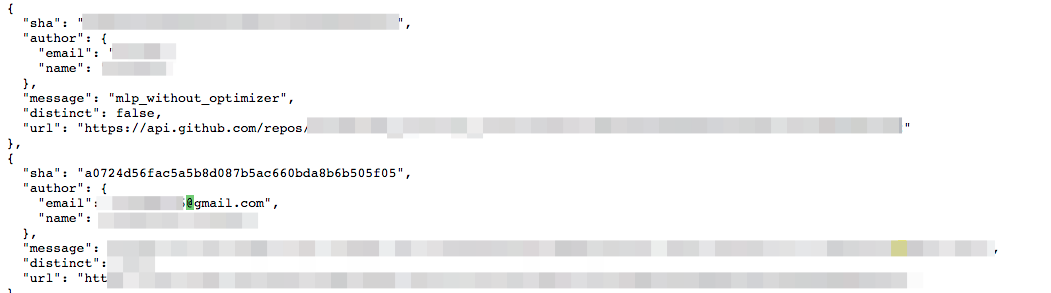
1. https://api.github.com/users/ /events/public
2. Ctrl+F "@"
3. ,
EmailOnGitHub Chrome Store Python:
import requests, telebot, time
tkn = '___'
bot = telebot.TeleBot(tkn)
# /start
@bot.message_handler(commands=['start'])
def start_message(message):
bot.send_message(message.chat.id, ', email . , , ')
# -
# email_finder
@bot.message_handler(content_types=['text'])
def send_text(message):
bot.send_message(message.chat.id, email_finder(message.text))
, , , , email_finder.
, . :
# ,
# , email
def email_finder(nick):
rawlist, newlist = [], []
# ,
url = f'https://api.github.com/users/{nick}/events/public'
r = requests.get(url)
#
# - ,
if r.status_code == 200:
print('status 200 - OK')
# , ,
# " "
if not r.json():
return ' . email.'
elif url_status == 404:
return ' '
else:
return ' '
#
for element in r.json():
if element['type'] == 'PushEvent':
for commit in element['payload']['commits']:
#
email = commit['author']['email']
rawlist.append(email)
f_list = ' : \n'
#
for i in rawlist:
if i not in newlist:
newlist.append(i)
for element in newlist:
f_list = f_list + element + '\n'
return f_list
本体の準備が整いました。次の行を追加する必要があります。
#
while True:
try:
print(' ...')
bot.infinity_polling(True)
except Exception as e:
print(' ')
time.sleep(15)
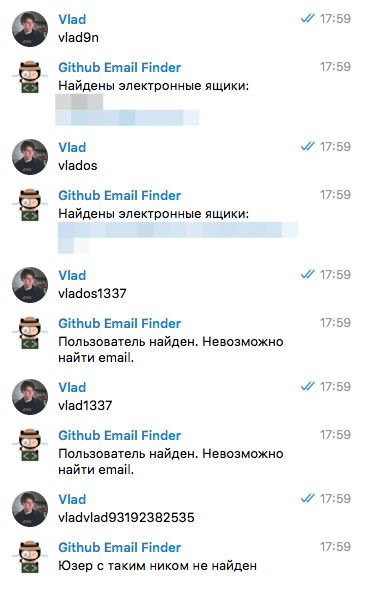
メール検索ボットの準備が整いました。起動して使用できます。試用版は@GitSorcerBot で入手できます。
ユーザーがコミットを投稿してメールを残した場合、ボットは結果を出力します。