少なくとも、夏の始まりとともにシベリアに住むすべての人におめでとう!)))
ナビゲーションは、今日ではかなり複雑なトピックです。
Flutter でナビゲーションがどのように配置されているか、ある画面から別の画面に切り替えるために一般的に必要なものを見ていきます。もちろん、画面間で引数を渡すことも忘れません。
そして最後に、非常に一般的なユースケースである BottomNavigationBar の作成です。
「さあ、時間も無駄にしないで、始めましょう!
私たちの計画
パート 1 - 開発の紹介、最初の付録、状態の概念。
パート 2 - pubspec.yaml ファイルとコマンド ラインでのフラッターの使用。
パート 3 (現在の記事) - BottomNavigationBar とナビゲーター。
パート 4 - MVC。この特定のパターンを最も単純なものの 1 つとして使用します。
パート 5 - http パッケージ。Repository クラスの作成、最初のリクエスト、投稿のリスト。
パート 6 - 画像の操作、グリッドの形式での画像の表示、ネットワークからの画像の受信、独自の画像のアプリケーションへの追加。
パート 7 - 独自のテーマを作成し、カスタム フォントとアニメーションを追加します。
パート 8 - テストについて少し。
ナビゲーターとナビゲーションスタック
Flutter はナビゲートが非常に簡単で、フラグメントやアクティビティはありません。
簡単に言えば、各ページはルートと呼ばれるウィジェットです。
ナビゲーションは Navigator オブジェクトを介して行われます。
// Navigator.of(context) Navigator
// : NavigatorState, push pop
// push Navigator
// pop
// MaterialPageRoute
//
Navigator.of(context).push(
MaterialPageRoute(builder: (context) => OurPage())
);
具体的な例でナビゲーター スタックを見てみましょう。
本のリストと本に関する情報という 2 つの画面があります。
アプリケーションを起動したときに最初に表示される画面は、書籍のリストです。
:

.
Back Up ( ) :

push(route)
, pop()
.
!
My Little Pony .
pages:

:
import 'package:flutter/material.dart';
// , , id
class Pony {
final int id;
final String name;
final String desc;
Pony(this.id, this.name, this.desc);
}
//
// final ,
// ponies
//
final List<Pony> ponies = [
Pony(
0,
"Twillight Sparkle",
"Twilight Sparkle is the central main character of My Little Pony Friendship is Magic. She is a female unicorn pony who transforms into an Alicorn and becomes a princess in Magical Mystery Cure"
),
Pony(
1,
"Starlight Glimmer",
"Starlight Glimmer is a female unicorn pony and recurring character, initially an antagonist but later a protagonist, in the series. She first possibly appears in My Little Pony: Friends Forever Issue and first explicitly appears in the season five premiere."
),
Pony(
2,
"Applejack",
"Applejack is a female Earth pony and one of the main characters of My Little Pony Friendship is Magic. She lives and works at Sweet Apple Acres with her grandmother Granny Smith, her older brother Big McIntosh, her younger sister Apple Bloom, and her dog Winona. She represents the element of honesty."
),
Pony(
3,
"Pinkie Pie",
"Pinkie Pie, full name Pinkamena Diane Pie,[note 2] is a female Earth pony and one of the main characters of My Little Pony Friendship is Magic. She is an energetic and sociable baker at Sugarcube Corner, where she lives on the second floor with her toothless pet alligator Gummy, and she represents the element of laughter."
),
Pony(
4,
"Fluttershy",
"Fluttershy is a female Pegasus pony and one of the main characters of My Little Pony Friendship is Magic. She lives in a small cottage near the Everfree Forest and takes care of animals, the most prominent of her charges being Angel the bunny. She represents the element of kindness."
),
];
// PonyListPage ,
// ..
//
class PonyListPage extends StatelessWidget {
// build ,
//
@override
Widget build(BuildContext context) {
return Scaffold(
appBar: AppBar(title: Text("Pony List Page")),
//
body: Padding(
// EdgeInsets double :
// left, top, right, bottom - , ,
// EdgeInsets.all(10) -
// EdgeInsets.only(left: 10, right: 15) -
//
// EdgeInsets.symmetric -
// (left right) (top bottom)
padding: EdgeInsets.symmetric(vertical: 15, horizontal: 10),
//
child: ListView(
// map ,
//
// ( Material).
// map
// ,
// Material
children: ponies.map<Widget>((pony) {
// Material ,
//
// ripple
return Material(
color: Colors.pinkAccent,
// InkWell
// , :
child: InkWell(
// splashColor - ripple
splashColor: Colors.pink,
//
onTap: () {
//
},
//
// Container Text
// Container (padding)
// (margin),
// , ,
//
child: Container(
padding: EdgeInsets.all(15),
child: Text(
pony.name,
style: Theme.of(context).textTheme.headline4.copyWith(color: Colors.white)
)
),
),
);
// map Iterable ,
// toList()
}).toList(),
)
),
);
}
}
, Dart , .
PonyDetailPage:
import 'package:flutter/material.dart';
import 'pony_list_page.dart';
// , PonyListPage
//
class PonyDetailPage extends StatelessWidget {
// id
final int ponyId;
// PonyDetailPage ponyId,
//
//
PonyDetailPage(this.ponyId);
@override
Widget build(BuildContext context) {
// id
// : ponies
// pony_list_page.dart
final pony = ponies[ponyId];
return Scaffold(
appBar: AppBar(
title: Text("Pony Detail Page"),
),
body: Padding(
//
padding: EdgeInsets.all(15),
// Column
// crossAxisAlignment - ()
// ()
// mainAxisAlignment
//
//
child: Column(
crossAxisAlignment: CrossAxisAlignment.stretch,
children: [
Container(
padding: EdgeInsets.all(10),
// color Container,
// .. decoration
// color: Colors.pinkAccent,
// BoxDecoration ,
// Container,
// : gradient, borderRadius, border, shape
// boxShadow
//
//
decoration: BoxDecoration(
borderRadius: BorderRadius.only(
topLeft: Radius.circular(15),
topRight: Radius.circular(15)
),
// Container' BoxDecoration
color: Colors.pinkAccent,
),
child: Text(
// pony
pony.name,
style: Theme.of(context).textTheme.headline4.copyWith(color: Colors.white),
)
),
Container(
padding: EdgeInsets.all(10),
child: Text(
// pony
pony.desc,
style: Theme.of(context).textTheme.bodyText1
)
)
],
),
)
);
}
}
.
PonyListPage:
//
onTap: () {
// :
// Navigator.of(context).push(route)
// PonyDetailPage pony id,
//
Navigator.push(context, MaterialPageRoute(
builder: (context) => PonyDetailPage(pony.id)
));
},
:
@override
Widget build(BuildContext context) {
// MaterialApp - ,
//
// Material Design .
return MaterialApp(
//
// ,
title: 'Json Placeholder App',
//
debugShowCheckedModeBanner: false,
// ,
theme: ThemeData(
primarySwatch: Colors.blue,
),
// - PonyListPage
home: PonyListPage(),
);
}
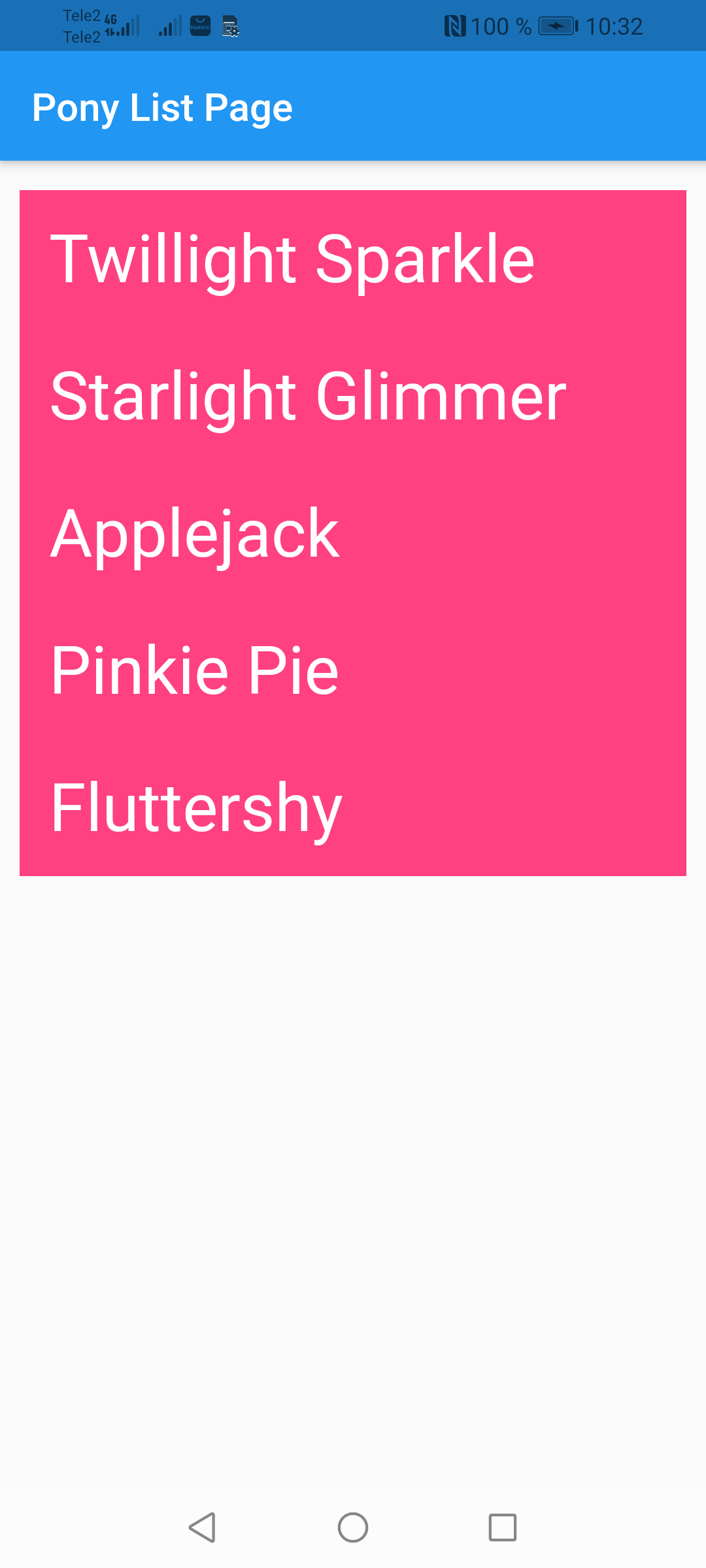
:
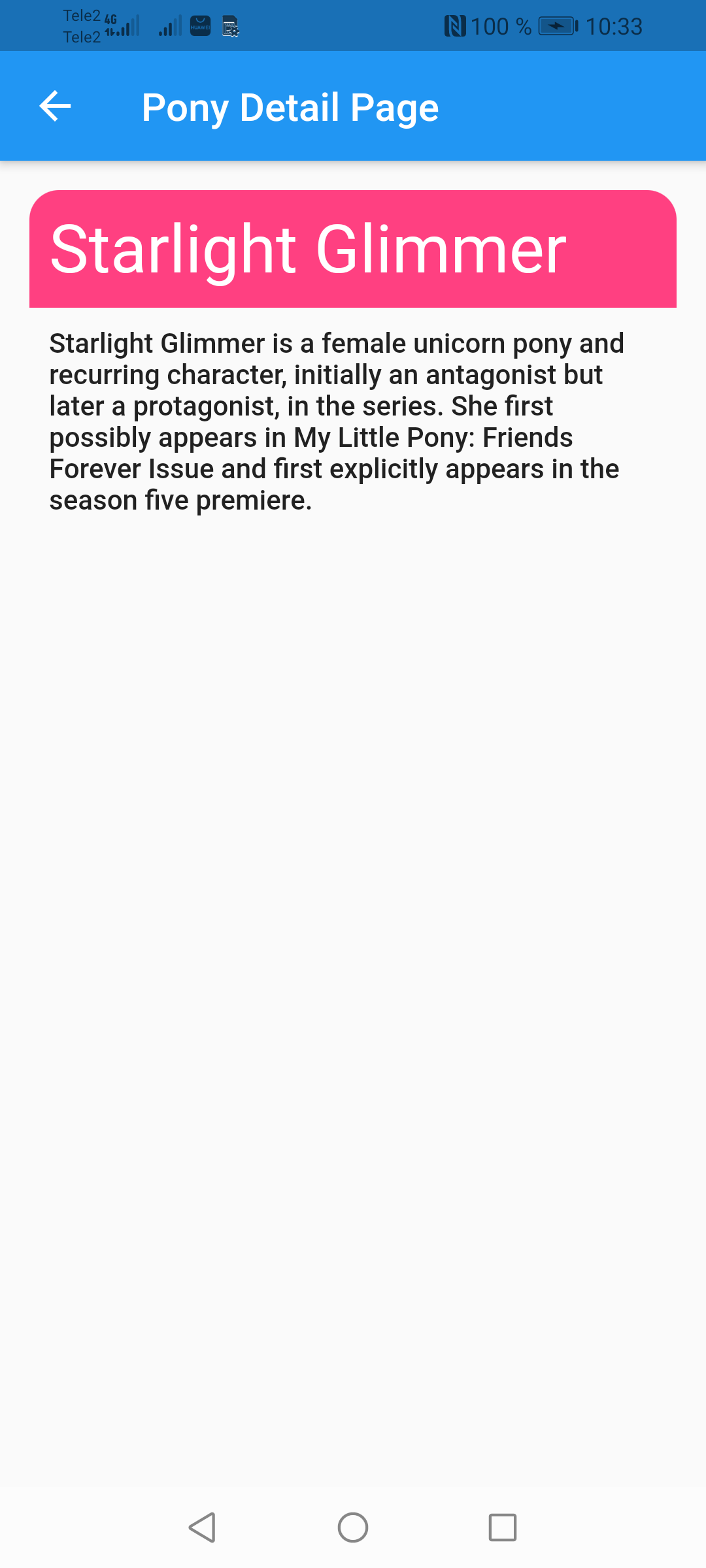
! , Back .
:
// NavigatorState
// (PonyDetailPage)
// ,
Navigator.pop(context, result)
. .
BottomNavigationBar.
BottomNavigationBar Navigator'
100% , , :

( , , ).
- .
models, tab.dart
:
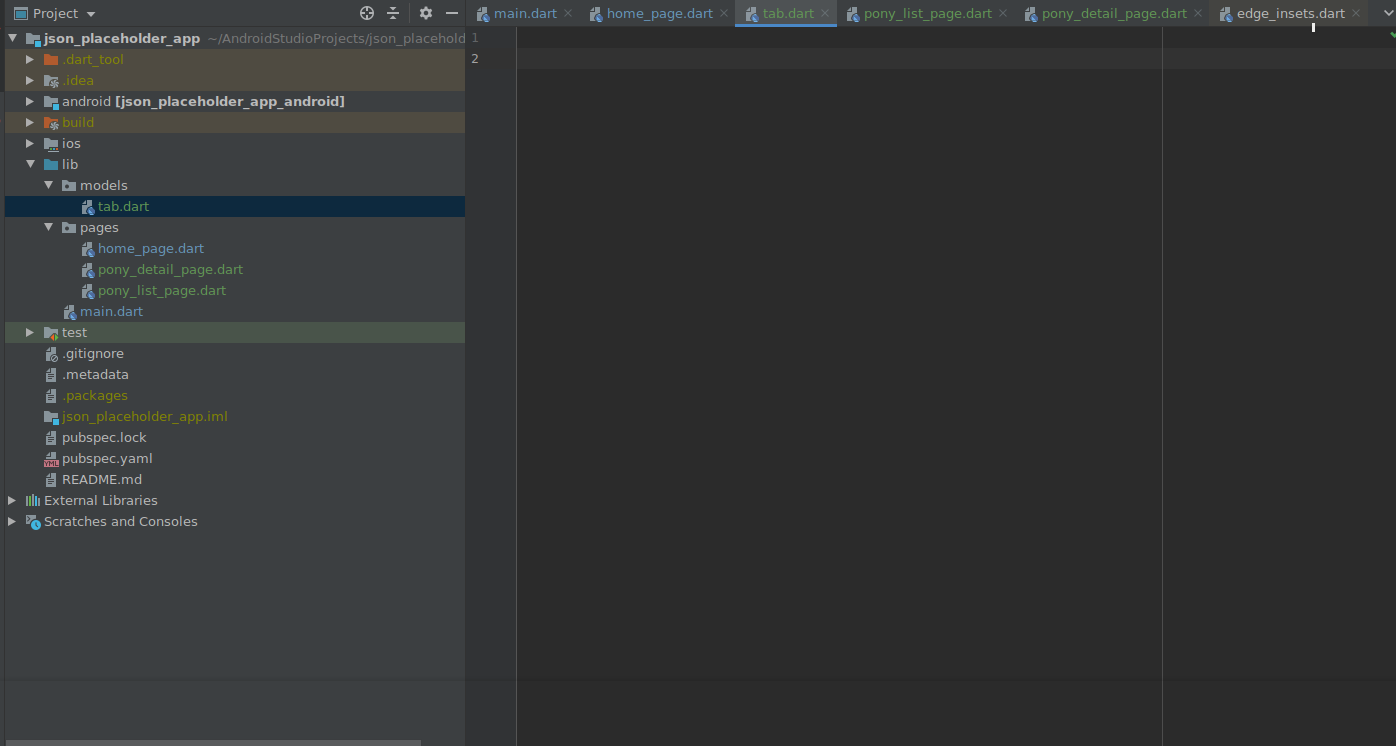
Tab
TabItem
:
import 'package:flutter/material.dart';
//
//
class MyTab {
final String name;
final MaterialColor color;
final IconData icon;
const MyTab({this.name, this.color, this.icon});
}
//
//
// :
// ,
enum TabItem { POSTS, ALBUMS, TODOS }
, :
import 'package:flutter/material.dart';
import "../models/tab.dart";
//
class HomePage extends StatefulWidget {
@override
_HomePageState createState() => _HomePageState();
}
class _HomePageState extends State<HomePage> {
// GlobalKey ,
//
// ,
// NavigatorState - Navigator
final _navigatorKeys = {
TabItem.POSTS: GlobalKey<NavigatorState>(),
TabItem.ALBUMS: GlobalKey<NavigatorState>(),
TabItem.TODOS: GlobalKey<NavigatorState>(),
};
//
var _currentTab = TabItem.POSTS;
//
void _selectTab(TabItem tabItem) {
setState(() => _currentTab = tabItem);
}
@override
Widget build(BuildContext context) {
// WillPopScope
// Back
return WillPopScope(
// back
// :
// ()
// Back,
//
// : c , ,
//
onWillPop: () async {
if (_currentTab != TabItem.POSTS) {
if (_currentTab == TabItem.TODOS) {
_selectTab(TabItem.ALBUMS);
} else {
_selectTab(TabItem.POSTS);
}
return false;
} else {
return true;
}
},
child: Scaffold(
// Stack
// ,
// ,
body: Stack(children: <Widget>[
_buildOffstageNavigator(TabItem.POSTS),
_buildOffstageNavigator(TabItem.ALBUMS),
_buildOffstageNavigator(TabItem.TODOS),
]),
// MyBottomNavigation
bottomNavigationBar: MyBottomNavigation(
currentTab: _currentTab,
onSelectTab: _selectTab,
),
),);
}
// - ,
Widget _buildOffstageNavigator(TabItem tabItem) {
return Offstage(
// Offstage :
//
// ,
offstage: _currentTab != tabItem,
// TabNavigator
child: TabNavigator(
navigatorKey: _navigatorKeys[tabItem],
tabItem: tabItem,
),
);
}
}
, Navigator , , .
Offstage
, .
back - WillPopScope
.
bottom_navigation.dart
:
import 'package:flutter/material.dart';
import '../models/tab.dart';
//
// const , tabs
//
// ,
// ,
const Map<TabItem, MyTab> tabs = {
TabItem.POSTS : const MyTab(name: "Posts", color: Colors.red, icon: Icons.layers),
TabItem.ALBUMS : const MyTab(name: "Albums", color: Colors.blue, icon: Icons.image),
TabItem.TODOS : const MyTab(name: "Todos", color: Colors.green, icon: Icons.edit)
};
class MyBottomNavigation extends StatelessWidget {
// MyBottomNavigation onSelectTab
//
MyBottomNavigation({this.currentTab, this.onSelectTab});
final TabItem currentTab;
// ValueChanged<TabItem> - ,
// onSelectTab ,
// TabItem
final ValueChanged<TabItem> onSelectTab;
@override
Widget build(BuildContext context) {
// BottomNavigationBar
//
return BottomNavigationBar(
selectedItemColor: _colorTabMatching(currentTab),
selectedFontSize: 13,
unselectedItemColor: Colors.grey,
type: BottomNavigationBarType.fixed,
currentIndex: currentTab.index,
//
items: [
_buildItem(TabItem.POSTS),
_buildItem(TabItem.ALBUMS),
_buildItem(TabItem.TODOS),
],
//
// onSelectTab,
//
onTap: (index) => onSelectTab(
TabItem.values[index]
)
);
}
//
BottomNavigationBarItem _buildItem(TabItem item) {
return BottomNavigationBarItem(
//
icon: Icon(
_iconTabMatching(item),
color: _colorTabMatching(item),
),
//
label: tabs[item].name,
);
}
//
IconData _iconTabMatching(TabItem item) => tabs[item].icon;
//
Color _colorTabMatching(TabItem item) {
return currentTab == item ? tabs[item].color : Colors.grey;
}
}
TabNavigator (tab_navigator.dart)
:
import 'package:flutter/material.dart';
import '../models/tab.dart';
import 'pony_list_page.dart';
class TabNavigator extends StatelessWidget {
// TabNavigator :
// navigatorKey - NavigatorState
// tabItem -
TabNavigator({this.navigatorKey, this.tabItem});
final GlobalKey<NavigatorState> navigatorKey;
final TabItem tabItem;
@override
Widget build(BuildContext context) {
// -
// navigatorKey
// , Navigator'
// navigatorKey, ,
//
// Navigator'a, !
return Navigator(
key: navigatorKey,
// Navigator initialRoute,
//
// .
// , ,
// initialRoute /
// initialRoute: "/",
// Navigator
// onGenerateRoute
onGenerateRoute: (routeSettings) {
//
Widget currentPage;
if (tabItem == TabItem.POSTS) {
// PonyListPage
currentPage = PonyListPage();
} else if (tabItem == TabItem.POSTS) {
currentPage = PonyListPage();
} else {
currentPage = PonyListPage();
}
// Route ( )
return MaterialPageRoute(builder: (context) => currentPage,);
},
);
}
}
main.dart
:
return MaterialApp(
//...
//
home: HomePage(),
);
home_page.dart
:

コードを正しく整理することも良い方法です。そのため、pages フォルダーに新しいホーム フォルダーを作成し、2 つのファイルをそこにドラッグします。

最後に、PostListPage、AlbumListPage、TodoListPage の 3 つのスタブ ページを作成しましょう。
import 'package:flutter/cupertino.dart';
import 'package:flutter/material.dart';
//
class PostListPage extends StatefulWidget {
@override
_PostListPageState createState() => _PostListPageState();
}
class _PostListPageState extends State<PostListPage> {
@override
Widget build(BuildContext context) {
return Scaffold(
appBar: AppBar(
title: Text("Post List Page"),
),
body: Container()
);
}
}
他の2つも同じ構造です。
その後、それらを次のように示しますTabNavigator'e
。
onGenerateRoute: (routeSettings) {
//
Widget currentPage;
if (tabItem == TabItem.POSTS) {
//
currentPage = PostListPage();
} else if (tabItem == TabItem.ALBUMS) {
currentPage = AlbumListPage();
} else {
currentPage = TodoListPage();
}
// Route ( )
return MaterialPageRoute(builder: (context) => currentPage);
},
結論
おめでとう!
あなたの良いレビューとサポートに心から感謝し、感謝しています!
便利なリンク:
また近いうちにお会いしましょう!